> ## Documentation Index
> Fetch the complete documentation index at: https://docs.polymet.ai/llms.txt
> Use this file to discover all available pages before exploring further.
# Product Updates
> New features, improvements and bug fixes
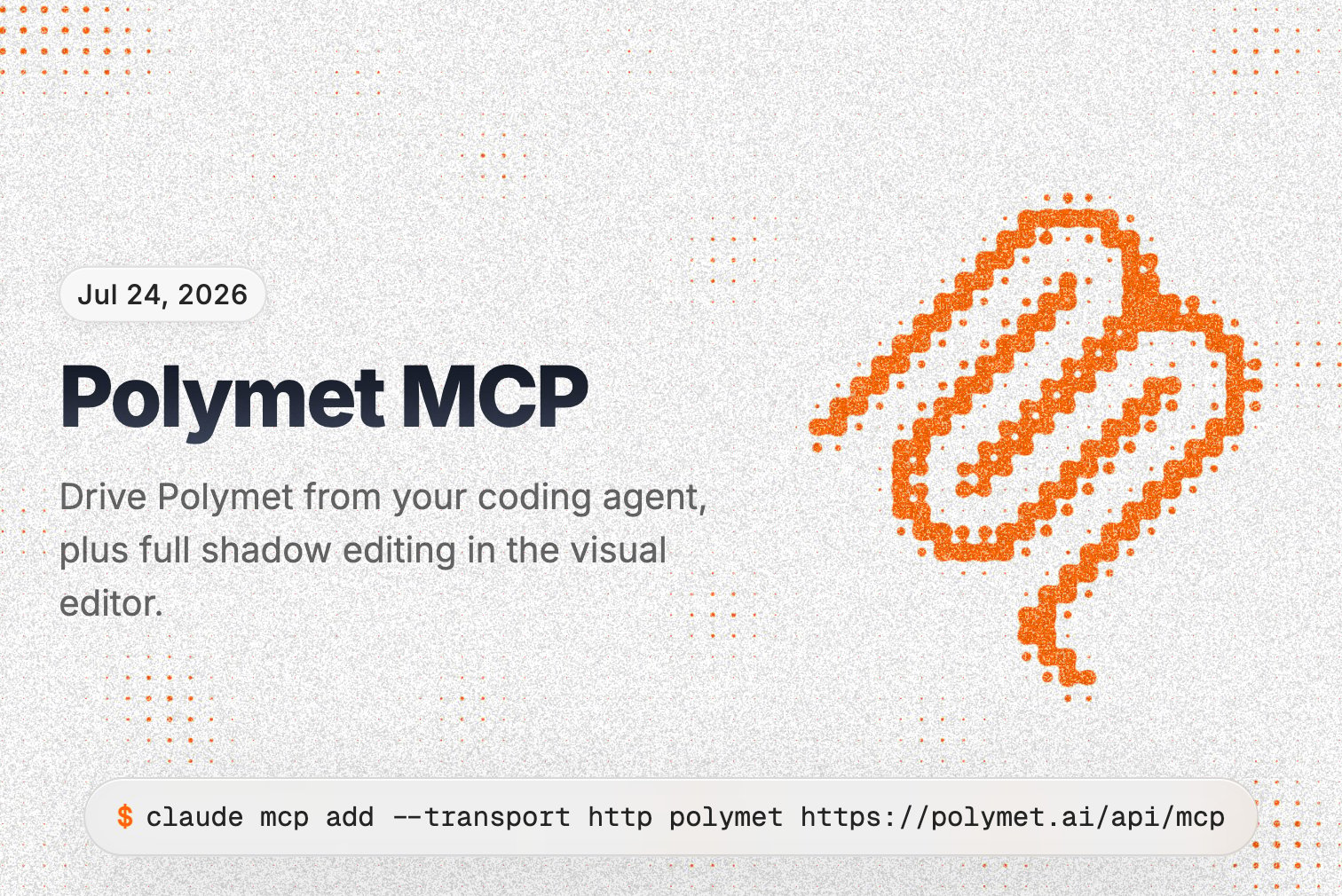
 **Drive Polymet from your coding agent**
Polymet now has an MCP server, so your coding agent — Claude Code first — can build UI on Polymet for you. Ask it to prototype a screen or mock up every state, and it creates a real project, kicks off the generation, and hands you a canvas link. You open it to watch Polymet build live and refine visually, then the agent pulls the finished code back into your codebase. It's the best of both: your agent handles the logic, Polymet handles the visual design. Sign in once with your Polymet account and it runs on its own — no browser needed while it works.
Get started in one line:
```
claude mcp add --transport http polymet https://polymet.ai/api/mcp
```
**Shadows in the visual editor**
You can now edit shadows right in the visual editor. Pick one of your theme's shadows, turn it off, or build your own with full control over each layer — offset, blur, spread, and color.
**Improvements**
* A new animated Polymet logo while the Agent is working, so it's clearer when it's thinking
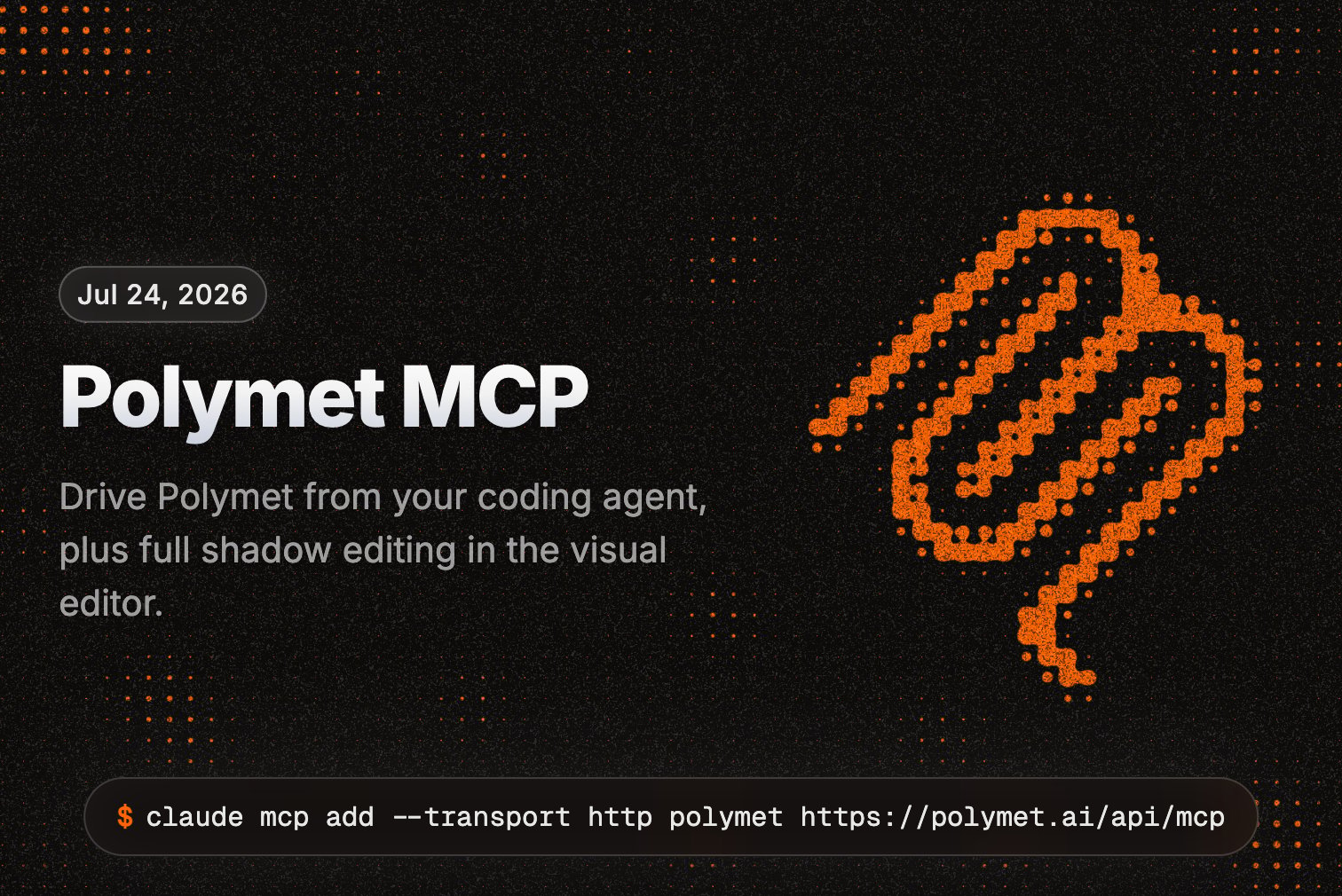
**Drive Polymet from your coding agent**
Polymet now has an MCP server, so your coding agent — Claude Code first — can build UI on Polymet for you. Ask it to prototype a screen or mock up every state, and it creates a real project, kicks off the generation, and hands you a canvas link. You open it to watch Polymet build live and refine visually, then the agent pulls the finished code back into your codebase. It's the best of both: your agent handles the logic, Polymet handles the visual design. Sign in once with your Polymet account and it runs on its own — no browser needed while it works.
Get started in one line:
```
claude mcp add --transport http polymet https://polymet.ai/api/mcp
```
**Shadows in the visual editor**
You can now edit shadows right in the visual editor. Pick one of your theme's shadows, turn it off, or build your own with full control over each layer — offset, blur, spread, and color.
**Improvements**
* A new animated Polymet logo while the Agent is working, so it's clearer when it's thinking
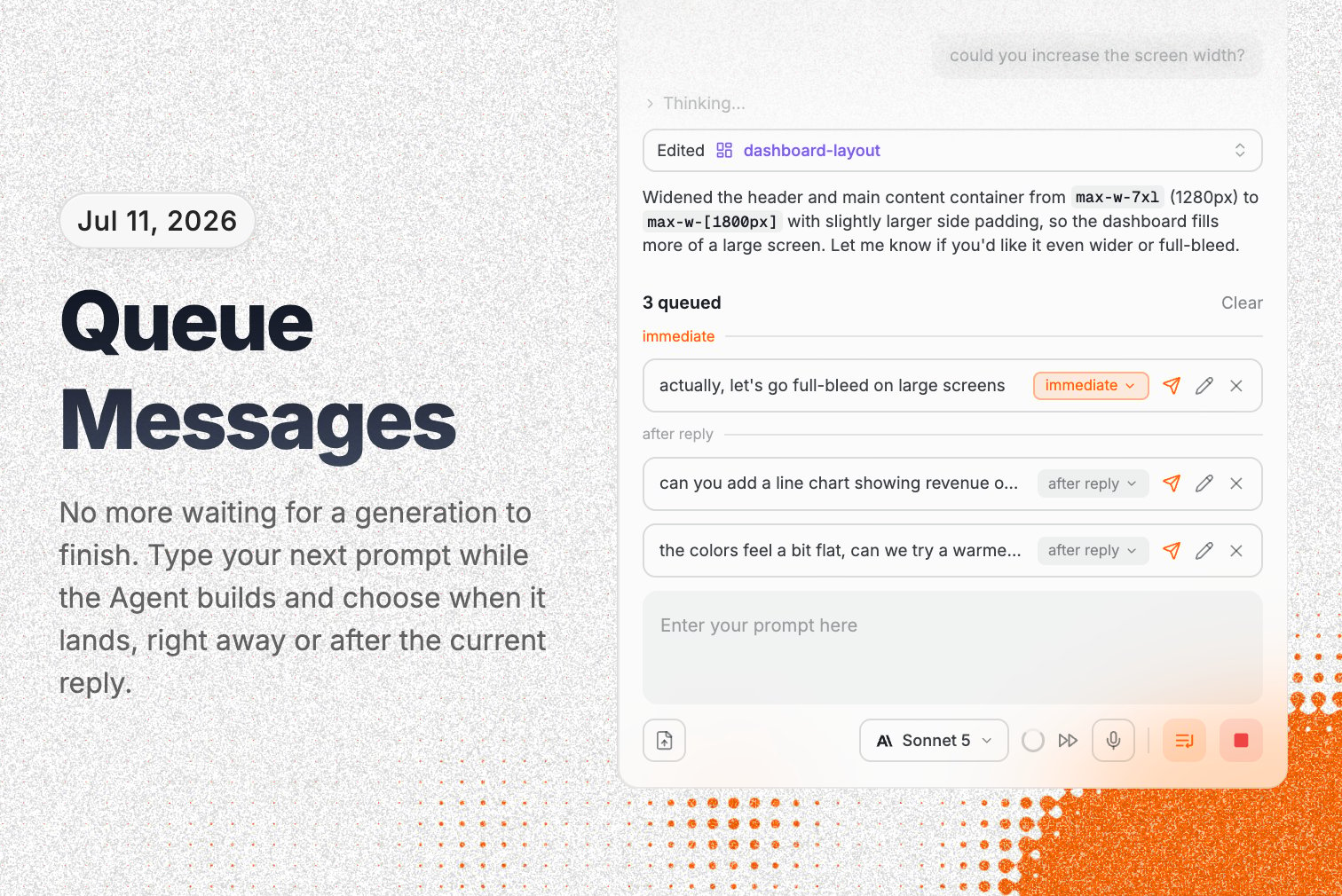
 **Queue Messages - schedule your follow-up prompts**
You no longer have to wait for a generation to finish before saying what's next. Type a follow-up while the Polymet Agent is building and choose when it lands: steer the Agent at its next step, or just queue it up for when the current work is done. Queued messages show up as chips you can edit or drop, they stay in sync across tabs, and they survive a refresh.
**Auto Design System selection**
New "Auto" option in the design picker — instead of choosing your palette, fonts, and look up front, hand it to the Agent and it designs a theme that fits the project based on your taste with few quick questions. Pick it as your starting point and refine from there.
**Improvements**
* Edit your theme right from the visual editor — a new Theme tab lives in the visual edit panel, so colors, fonts, and radius are one click away without leaving your preview
* Redesigned color and font pickers that pull in your project's real colors and your Google Fonts, so you're picking from what's actually in your project
* Higher-quality image generation for cleaner, sharper results
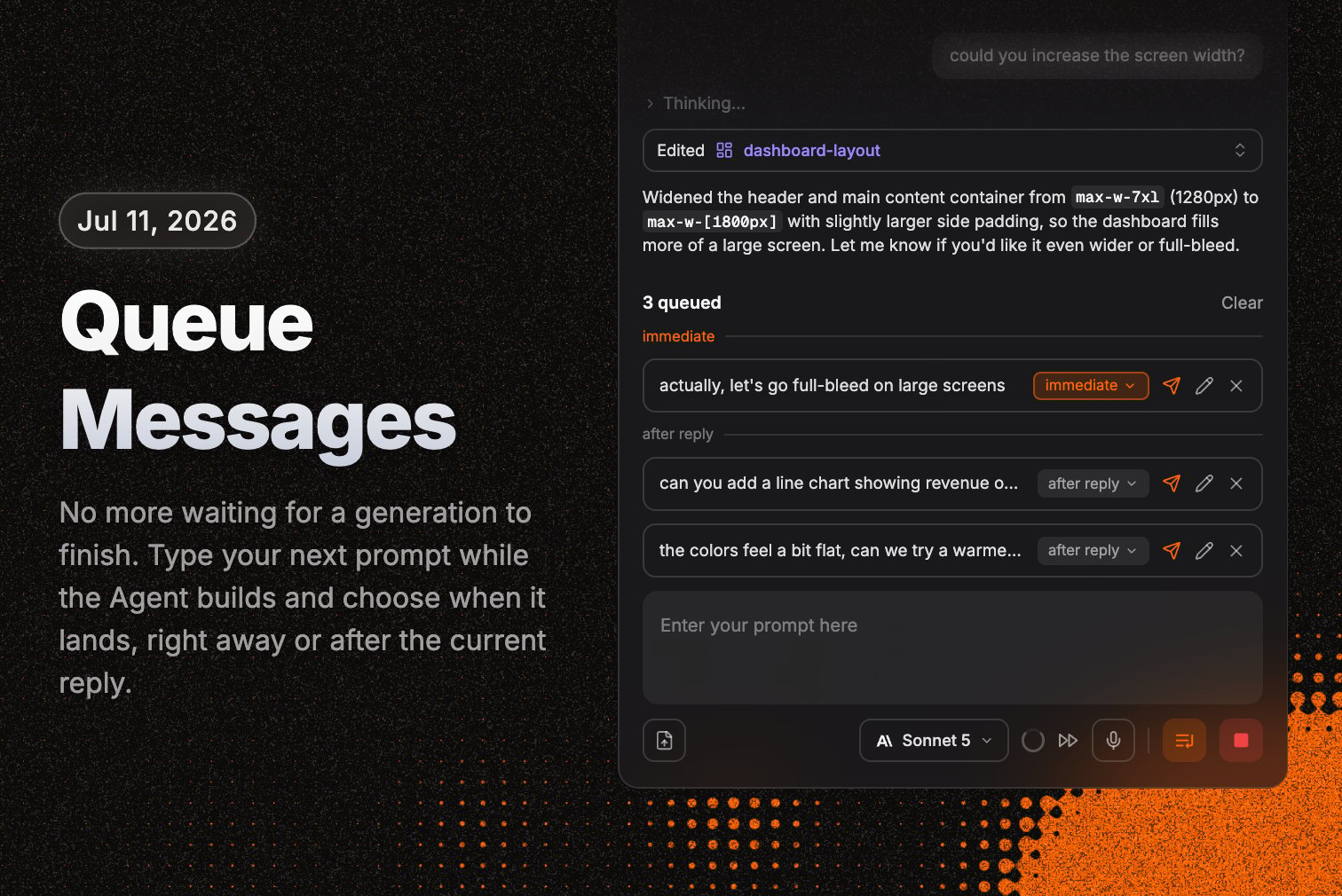
**Queue Messages - schedule your follow-up prompts**
You no longer have to wait for a generation to finish before saying what's next. Type a follow-up while the Polymet Agent is building and choose when it lands: steer the Agent at its next step, or just queue it up for when the current work is done. Queued messages show up as chips you can edit or drop, they stay in sync across tabs, and they survive a refresh.
**Auto Design System selection**
New "Auto" option in the design picker — instead of choosing your palette, fonts, and look up front, hand it to the Agent and it designs a theme that fits the project based on your taste with few quick questions. Pick it as your starting point and refine from there.
**Improvements**
* Edit your theme right from the visual editor — a new Theme tab lives in the visual edit panel, so colors, fonts, and radius are one click away without leaving your preview
* Redesigned color and font pickers that pull in your project's real colors and your Google Fonts, so you're picking from what's actually in your project
* Higher-quality image generation for cleaner, sharper results
 **The AI asks before it builds**
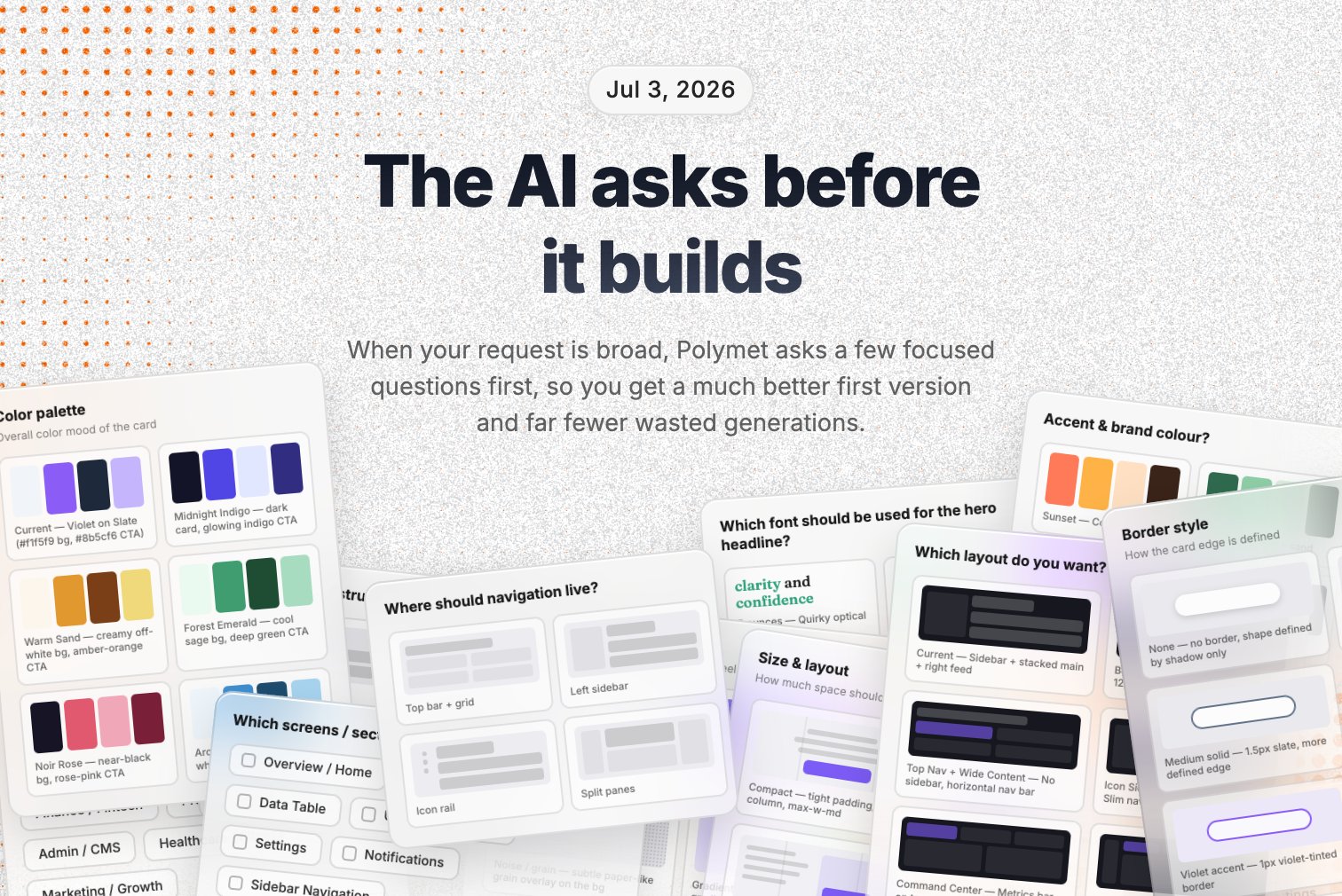
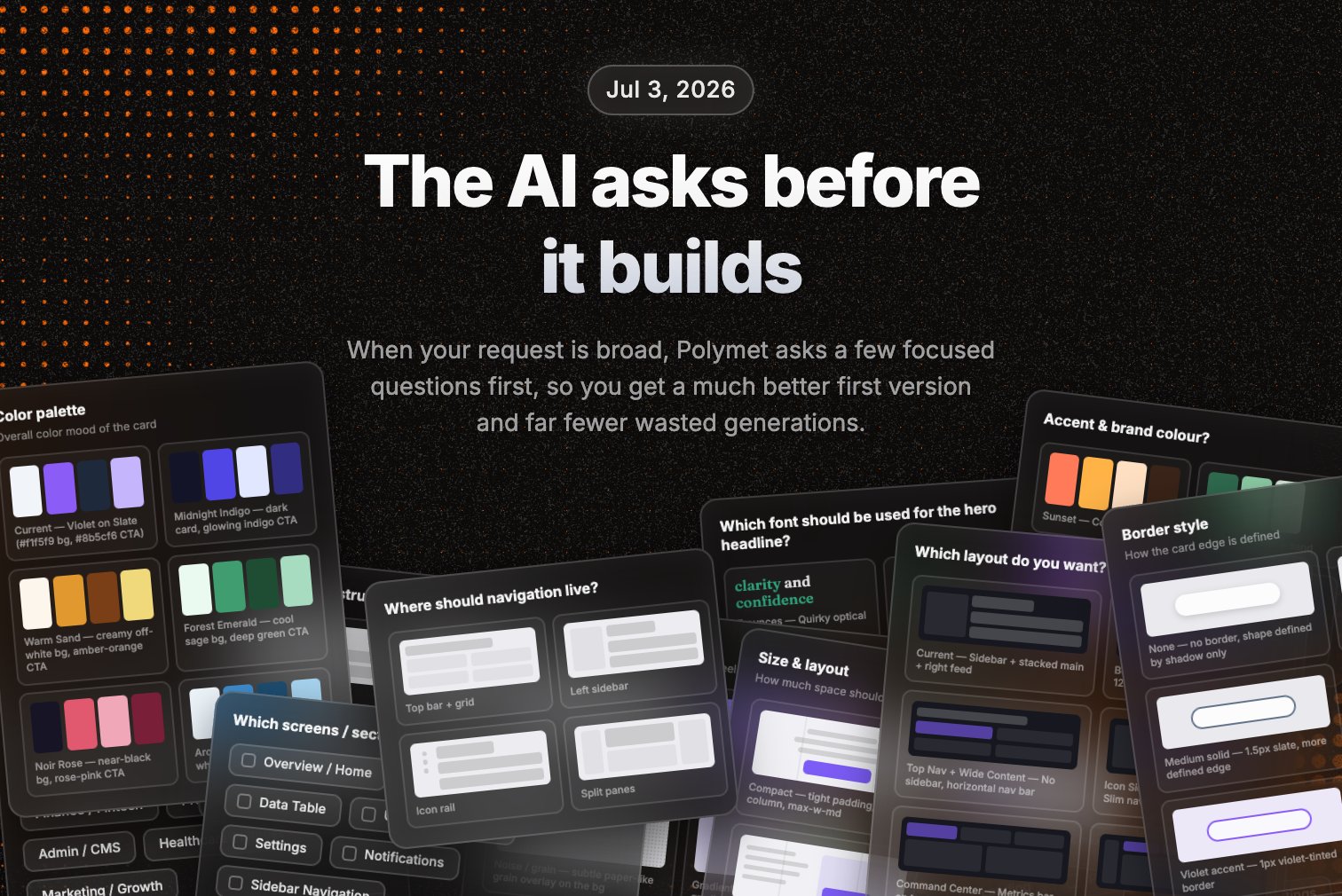
When your request is open-ended — "build me a CRM," "create a finance dashboard" — Polymet now pauses and asks a few focused questions instead of guessing at the audience, the screens, and the look. They show up right above the chat, with visual options you can pick for things like color palettes and layouts. Answer what you care about, skip the rest, and submit — you get a much better first version and far fewer wasted generations. Specific requests still build right away, and every question is optional.
**New AI models**
Claude Fable 5, Sonnet 5 and Opus 4.8 are now available.
**Slash commands in chat**
Type `/` in the canvas chat to pull up a command menu. `/compact` condenses a long conversation so the AI stays fast and focused, and `/clear` wipes the thread to start fresh.
**Project rules and design context**
Give the AI standing instructions that stick. Add a rules file with project-wide rules — "always use Tailwind", "no class components" — that the AI follows on every generation, and a design file describing your palette, spacing, and typography so it builds on-brand. Both live in your project settings and persist across every thread. And the AI now keeps a memory of your project: decisions and facts it learns carry across threads instead of being rediscovered every time.
**Typography in visual edit**
Click any text in your preview and change its font family, size, and weight right there — no prompt needed, right alongside the color and spacing controls.
**More image generation styles**
The AI can generate images in more styles now — quick drafts, high-quality renders, clean vector SVGs, and typography-focused graphics.
**Bug fixes**
* Drag and drop files and images straight into the prompt to attach them
* The theme picker reads imported projects' real colors and fonts more reliably
**Import your existing codebase**
Bring a project you already have into Polymet — straight from a GitHub repo or a zip. Connect GitHub, pick a repo and a branch, and Polymet pulls your code in, installs its dependencies, and renders your actual app in live preview, usually within seconds. From there it's a normal Polymet project: edit by hand or ask the AI to make changes, and everything commits and pushes back to GitHub both ways. By default Polymet works on a fresh branch, so the branch you imported stays untouched unless you choose otherwise.
**Visual edit panel, redesigned**
The visual edit panel is now a floating card you can put wherever you want. Drag it anywhere over your preview, dock it to the left or right edge — the canvas reflows so it never covers your work — or collapse it to a compact pill when you need the room. Same one-click styling controls, no longer pinned to one side.
**Improvements**
* Imported projects behave like any other Polymet project — publish them, connect custom domains, and keep editing with full two-way GitHub sync
* Use Polymet's canvas with imported projects — lay out your pages and components visually, not just in code
* React 19 and Tailwind 4 apps render correctly in preview, with the theme picker and visual editor reading your project's real colors and fonts
* Imports default to a brand-new branch, so your existing branch stays clean
* Zip imports can bring your existing git history along, so your project keeps its full commit history
**Bug fixes**
* Fixed some loading issues with code files and your repository
* Fixed occasional generation errors due to malformed tool inputs
**Sharing, redesigned**
The share button now sits right next to your collaborators, and on shared projects you can see who's online at a glance — live presence on every avatar. Open it to see the full member list, invite people, or manage access from one popover. It adapts to how the project is shared: private, invite-only, or open to your whole org.
**Multiple custom domains**
Custom domains went further — you can now connect more than one domain to the same project. Point an apex and a www, or several aliases, all at the same published prototype, with the same guided DNS setup and automatic HTTPS as before.
**Projects recover themselves when something breaks**
If your project's underlying structure gets corrupted — say from a GitHub sync or an edit gone wrong — Polymet now detects it and rebuilds it automatically instead of leaving you stuck. Even when the structure is missing entirely, it finds your app's main entry point and renders it, so you're never staring at a blank canvas.
**Improvements**
* Cleaner project settings — more consistent forms and an improved color picker
**Bug fixes**
* Fixed plan upgrades that could create a duplicate subscription or fail outright
* Past subscribers can open the billing portal again
* AI-generated images now reliably show up in your asset list
* A clearer warning when your prompt is too long to generate
**Sharper, more accurate edits**
We studied thousands of real generations and fixed the patterns that tripped the AI up. When you ask for a specific change, it stays in scope instead of rewriting things you didn't mention. It reuses components you already have instead of duplicating them, and builds pages and their routes together so navigation works the first time.
**The AI catches its own errors as it builds**
When the AI changes your project, it now spots any errors its own edits introduced and fixes them on the spot — so you get a working preview instead of a broken one to clean up yourself.
**Improvements**
* After you log in, you land back on the page you were trying to open instead of always bouncing to your projects list
**Bug fixes**
* Removing a teammate or revoking an invitation now reliably takes effect everywhere
**Claude Opus 4.7 with adaptive thinking**
Polymet now generates with Claude Opus 4.7. The AI reasons through your request before it builds — and you can watch that thinking stream live in chat. Better output, and you can catch a wrong turn early instead of after the fact.
**Rollback recommendations when a generation fails**
When a generation hits an error, the chat now points you to specific safe versions to roll back to. One click back to something that works, instead of being stuck.
**Improvements**
* Generations that hit the output limit stop cleanly and pre-fill a follow-up prompt, so you continue in one click
* The file navigator flags orphaned routes — pages nothing links to — with a one-click fix
* The code editor dropped the confusing source/render toggle
**Bug fixes**
* SVG images in prompts show as thumbnails instead of raw markup
* Working previews are no longer falsely flagged as blank or broken
* "Fix errors" tells you when there's nothing to fix instead of erroring out
* Public prototype links no longer pick up a stray preview token
* Generations no longer fail on image-heavy conversations
* Fixed a crash when a thread briefly went missing mid-generation
**The AI asks before it builds**
When your request is open-ended — "build me a CRM," "create a finance dashboard" — Polymet now pauses and asks a few focused questions instead of guessing at the audience, the screens, and the look. They show up right above the chat, with visual options you can pick for things like color palettes and layouts. Answer what you care about, skip the rest, and submit — you get a much better first version and far fewer wasted generations. Specific requests still build right away, and every question is optional.
**New AI models**
Claude Fable 5, Sonnet 5 and Opus 4.8 are now available.
**Slash commands in chat**
Type `/` in the canvas chat to pull up a command menu. `/compact` condenses a long conversation so the AI stays fast and focused, and `/clear` wipes the thread to start fresh.
**Project rules and design context**
Give the AI standing instructions that stick. Add a rules file with project-wide rules — "always use Tailwind", "no class components" — that the AI follows on every generation, and a design file describing your palette, spacing, and typography so it builds on-brand. Both live in your project settings and persist across every thread. And the AI now keeps a memory of your project: decisions and facts it learns carry across threads instead of being rediscovered every time.
**Typography in visual edit**
Click any text in your preview and change its font family, size, and weight right there — no prompt needed, right alongside the color and spacing controls.
**More image generation styles**
The AI can generate images in more styles now — quick drafts, high-quality renders, clean vector SVGs, and typography-focused graphics.
**Bug fixes**
* Drag and drop files and images straight into the prompt to attach them
* The theme picker reads imported projects' real colors and fonts more reliably
**Import your existing codebase**
Bring a project you already have into Polymet — straight from a GitHub repo or a zip. Connect GitHub, pick a repo and a branch, and Polymet pulls your code in, installs its dependencies, and renders your actual app in live preview, usually within seconds. From there it's a normal Polymet project: edit by hand or ask the AI to make changes, and everything commits and pushes back to GitHub both ways. By default Polymet works on a fresh branch, so the branch you imported stays untouched unless you choose otherwise.
**Visual edit panel, redesigned**
The visual edit panel is now a floating card you can put wherever you want. Drag it anywhere over your preview, dock it to the left or right edge — the canvas reflows so it never covers your work — or collapse it to a compact pill when you need the room. Same one-click styling controls, no longer pinned to one side.
**Improvements**
* Imported projects behave like any other Polymet project — publish them, connect custom domains, and keep editing with full two-way GitHub sync
* Use Polymet's canvas with imported projects — lay out your pages and components visually, not just in code
* React 19 and Tailwind 4 apps render correctly in preview, with the theme picker and visual editor reading your project's real colors and fonts
* Imports default to a brand-new branch, so your existing branch stays clean
* Zip imports can bring your existing git history along, so your project keeps its full commit history
**Bug fixes**
* Fixed some loading issues with code files and your repository
* Fixed occasional generation errors due to malformed tool inputs
**Sharing, redesigned**
The share button now sits right next to your collaborators, and on shared projects you can see who's online at a glance — live presence on every avatar. Open it to see the full member list, invite people, or manage access from one popover. It adapts to how the project is shared: private, invite-only, or open to your whole org.
**Multiple custom domains**
Custom domains went further — you can now connect more than one domain to the same project. Point an apex and a www, or several aliases, all at the same published prototype, with the same guided DNS setup and automatic HTTPS as before.
**Projects recover themselves when something breaks**
If your project's underlying structure gets corrupted — say from a GitHub sync or an edit gone wrong — Polymet now detects it and rebuilds it automatically instead of leaving you stuck. Even when the structure is missing entirely, it finds your app's main entry point and renders it, so you're never staring at a blank canvas.
**Improvements**
* Cleaner project settings — more consistent forms and an improved color picker
**Bug fixes**
* Fixed plan upgrades that could create a duplicate subscription or fail outright
* Past subscribers can open the billing portal again
* AI-generated images now reliably show up in your asset list
* A clearer warning when your prompt is too long to generate
**Sharper, more accurate edits**
We studied thousands of real generations and fixed the patterns that tripped the AI up. When you ask for a specific change, it stays in scope instead of rewriting things you didn't mention. It reuses components you already have instead of duplicating them, and builds pages and their routes together so navigation works the first time.
**The AI catches its own errors as it builds**
When the AI changes your project, it now spots any errors its own edits introduced and fixes them on the spot — so you get a working preview instead of a broken one to clean up yourself.
**Improvements**
* After you log in, you land back on the page you were trying to open instead of always bouncing to your projects list
**Bug fixes**
* Removing a teammate or revoking an invitation now reliably takes effect everywhere
**Claude Opus 4.7 with adaptive thinking**
Polymet now generates with Claude Opus 4.7. The AI reasons through your request before it builds — and you can watch that thinking stream live in chat. Better output, and you can catch a wrong turn early instead of after the fact.
**Rollback recommendations when a generation fails**
When a generation hits an error, the chat now points you to specific safe versions to roll back to. One click back to something that works, instead of being stuck.
**Improvements**
* Generations that hit the output limit stop cleanly and pre-fill a follow-up prompt, so you continue in one click
* The file navigator flags orphaned routes — pages nothing links to — with a one-click fix
* The code editor dropped the confusing source/render toggle
**Bug fixes**
* SVG images in prompts show as thumbnails instead of raw markup
* Working previews are no longer falsely flagged as blank or broken
* "Fix errors" tells you when there's nothing to fix instead of erroring out
* Public prototype links no longer pick up a stray preview token
* Generations no longer fail on image-heavy conversations
* Fixed a crash when a thread briefly went missing mid-generation
 **Conversation compaction — long chats don't break anymore**
Long projects used to hit the AI's context limit and just fail. Now the AI automatically summarizes the conversation as it grows and keeps going. Build something big over dozens of turns without hitting a wall — and you still see the full conversation, the summarizing happens behind the scenes.
**Backend management for everyone**
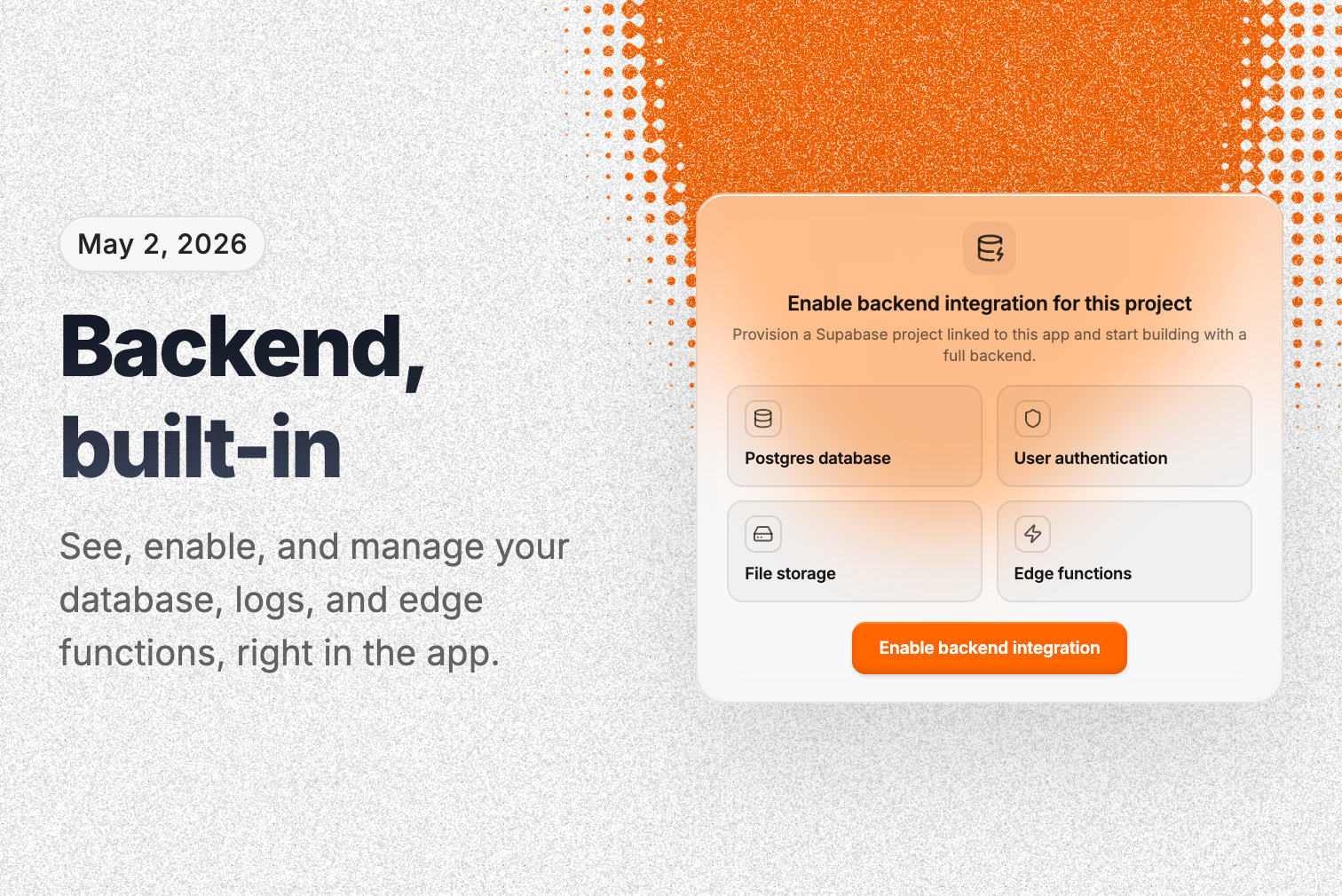
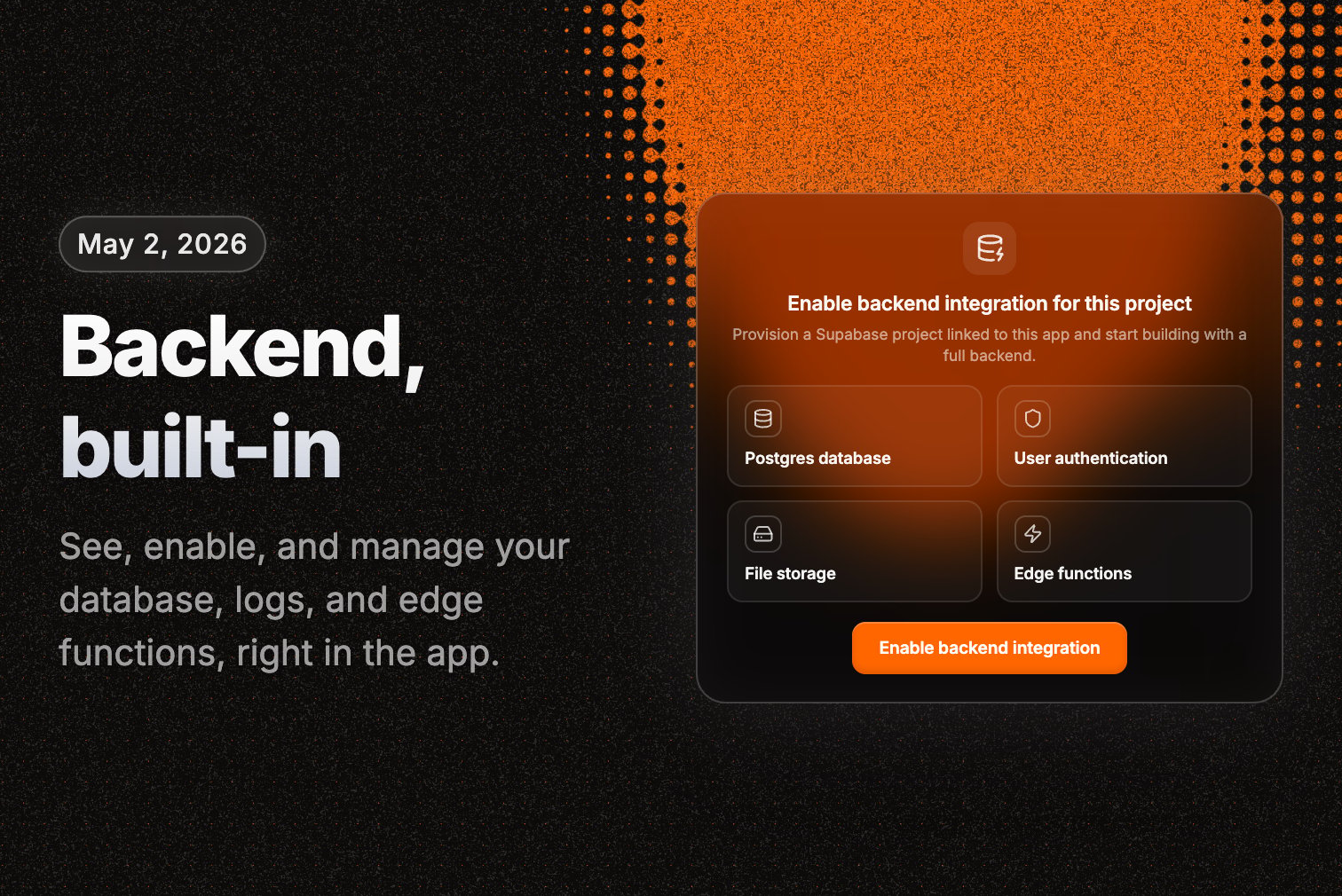
See, enable, and manage your project's database, logs, and edge functions right in the app. This used to be locked away — now it's yours.
**Persistent preview URLs**
Your project's preview URL stays the same across every generation. No more losing your login session, form state, or scroll position every time the AI makes a change. Every past version also gets its own shareable link.
**Rebuild button on broken previews**
When a preview fails to load, you get a Rebuild button instead of a dead screen — it re-bundles the broken parts and gets you back to a working preview.
**Improvements**
* Full-height chat — the conversation gets the whole left panel
* Code view shows your entire project file tree, not just the focused file
* The live prototype URL is visible in focus view, one click to open
* A fresh look — new orange brand color and a redesigned profile menu
* "Rollback and try again" recovery when a generation errors
* Untitled projects auto-rename from your first prompt
* Faster canvas load for older projects
* "Rebundle" is now called "Rebuild" everywhere
**Bug fixes**
* Fixed a crash when continuing a long conversation after compaction
* Better error recovery when a generation fails
* Older projects no longer show "CSS file not found" broken previews
* Version rollback is more reliable
* Fixed Figma asset uploads failing for some users
* Custom domain DNS setup and teardown fixed
* "Fix errors" works on projects with lots of errors
* Fixed a batch of layout and overflow glitches across the app
* Fixed previews getting stuck on a loading screen
* A message you sent could show up twice — fixed
**Conversation compaction — long chats don't break anymore**
Long projects used to hit the AI's context limit and just fail. Now the AI automatically summarizes the conversation as it grows and keeps going. Build something big over dozens of turns without hitting a wall — and you still see the full conversation, the summarizing happens behind the scenes.
**Backend management for everyone**
See, enable, and manage your project's database, logs, and edge functions right in the app. This used to be locked away — now it's yours.
**Persistent preview URLs**
Your project's preview URL stays the same across every generation. No more losing your login session, form state, or scroll position every time the AI makes a change. Every past version also gets its own shareable link.
**Rebuild button on broken previews**
When a preview fails to load, you get a Rebuild button instead of a dead screen — it re-bundles the broken parts and gets you back to a working preview.
**Improvements**
* Full-height chat — the conversation gets the whole left panel
* Code view shows your entire project file tree, not just the focused file
* The live prototype URL is visible in focus view, one click to open
* A fresh look — new orange brand color and a redesigned profile menu
* "Rollback and try again" recovery when a generation errors
* Untitled projects auto-rename from your first prompt
* Faster canvas load for older projects
* "Rebundle" is now called "Rebuild" everywhere
**Bug fixes**
* Fixed a crash when continuing a long conversation after compaction
* Better error recovery when a generation fails
* Older projects no longer show "CSS file not found" broken previews
* Version rollback is more reliable
* Fixed Figma asset uploads failing for some users
* Custom domain DNS setup and teardown fixed
* "Fix errors" works on projects with lots of errors
* Fixed a batch of layout and overflow glitches across the app
* Fixed previews getting stuck on a loading screen
* A message you sent could show up twice — fixed
 **Multi-thread chat**
Projects now have multiple chat threads. Keep a thread per feature or idea, switch between them, and let each one auto-name itself from your first message. Separate lines of work, one project.
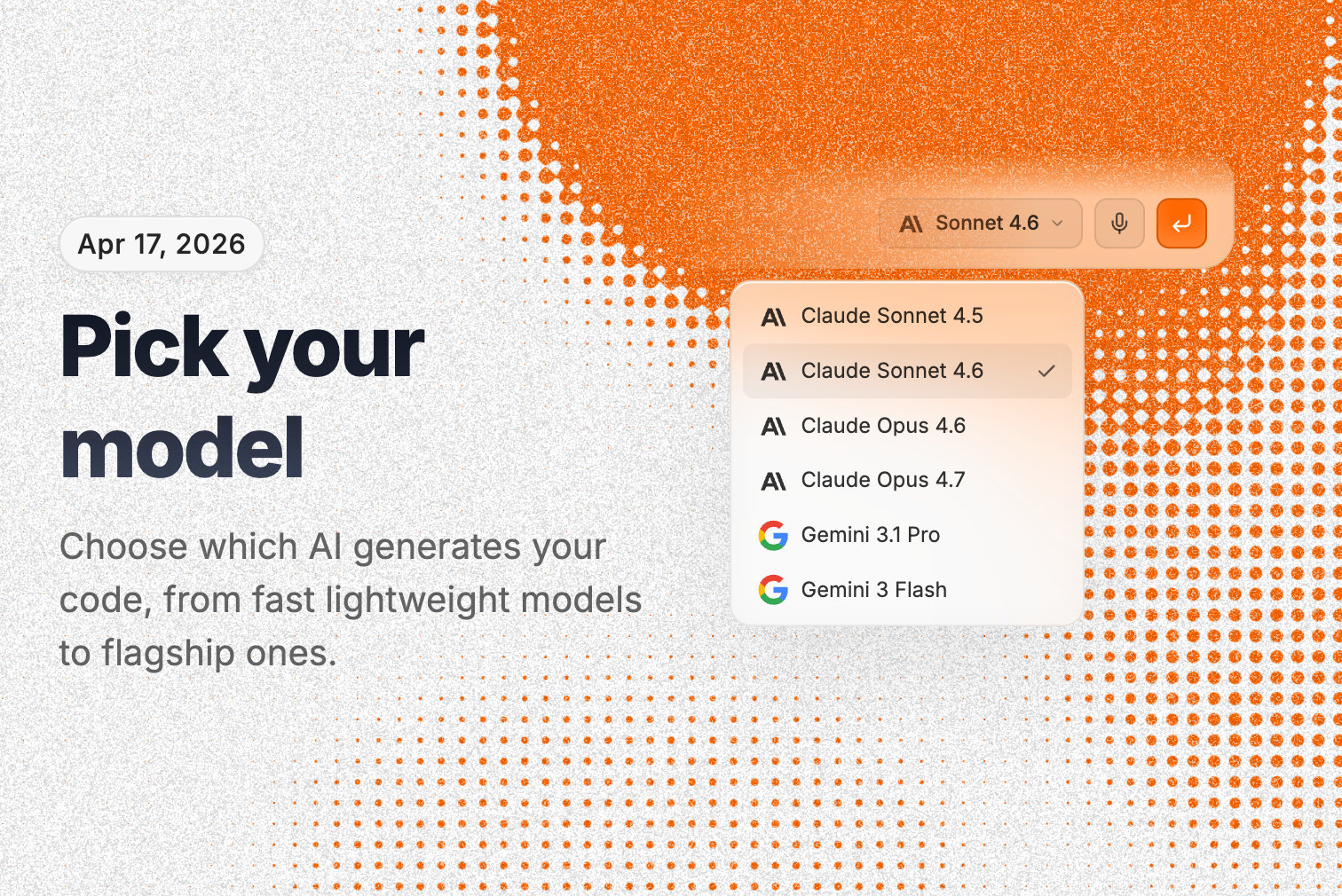
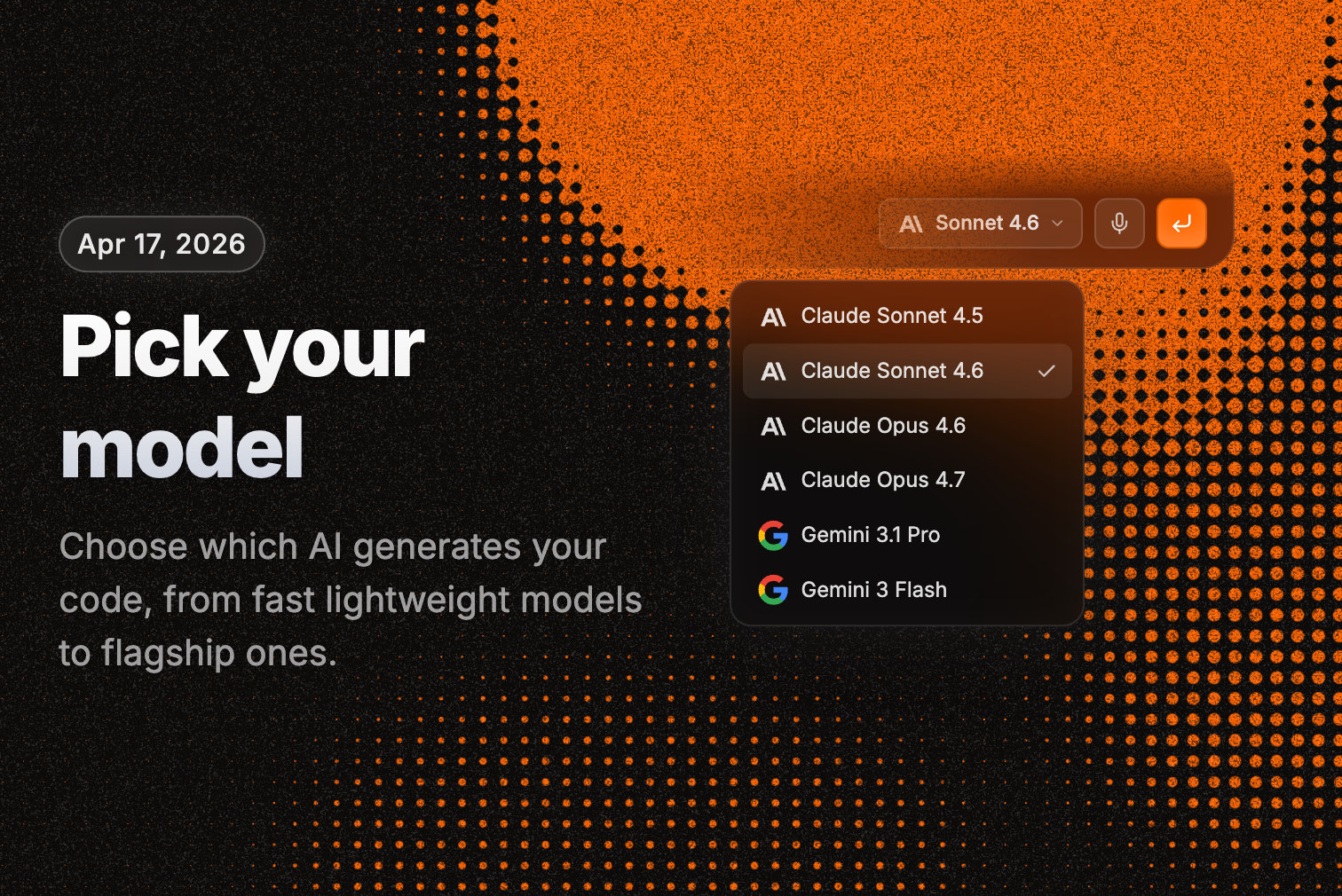
**Pick your model**
A model selector lets you choose which AI generates your code — across multiple providers, from fast lightweight models to flagship ones. Use the right tool for the job.
**Version cards and rollback**
Every generation shows up as a version card in chat with view, publish, and rollback actions. Roll back code, chat history, or both.
**The AI remembers your whole project**
The AI can search back through earlier messages — in the current thread or across all of them — and pull back images you shared before. Ask it to do something "like we did in the dashboard thread" and it can actually find it.
**Improvements**
* Generations automatically retry with a fallback model when one hits an error
* Streaming recovers on its own — reload mid-generation and you land back on the live thread
* Visual edits and error fixes show as rich cards in chat
* Figma imports show a card with frame thumbnails
* Duplicating a project starts with a fresh chat
**Multi-thread chat**
Projects now have multiple chat threads. Keep a thread per feature or idea, switch between them, and let each one auto-name itself from your first message. Separate lines of work, one project.
**Pick your model**
A model selector lets you choose which AI generates your code — across multiple providers, from fast lightweight models to flagship ones. Use the right tool for the job.
**Version cards and rollback**
Every generation shows up as a version card in chat with view, publish, and rollback actions. Roll back code, chat history, or both.
**The AI remembers your whole project**
The AI can search back through earlier messages — in the current thread or across all of them — and pull back images you shared before. Ask it to do something "like we did in the dashboard thread" and it can actually find it.
**Improvements**
* Generations automatically retry with a fallback model when one hits an error
* Streaming recovers on its own — reload mid-generation and you land back on the live thread
* Visual edits and error fixes show as rich cards in chat
* Figma imports show a card with frame thumbnails
* Duplicating a project starts with a fresh chat
 **Custom domains**
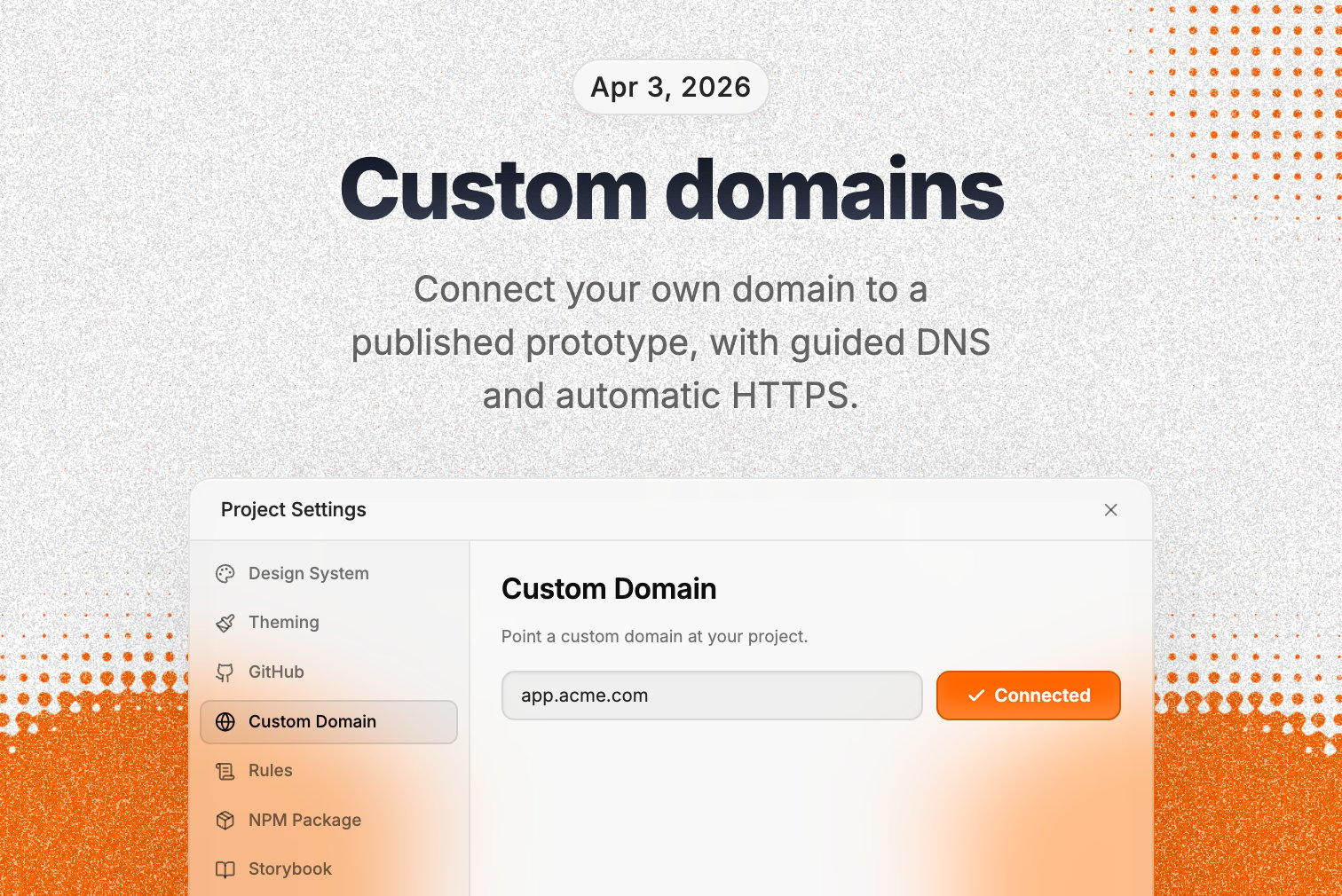
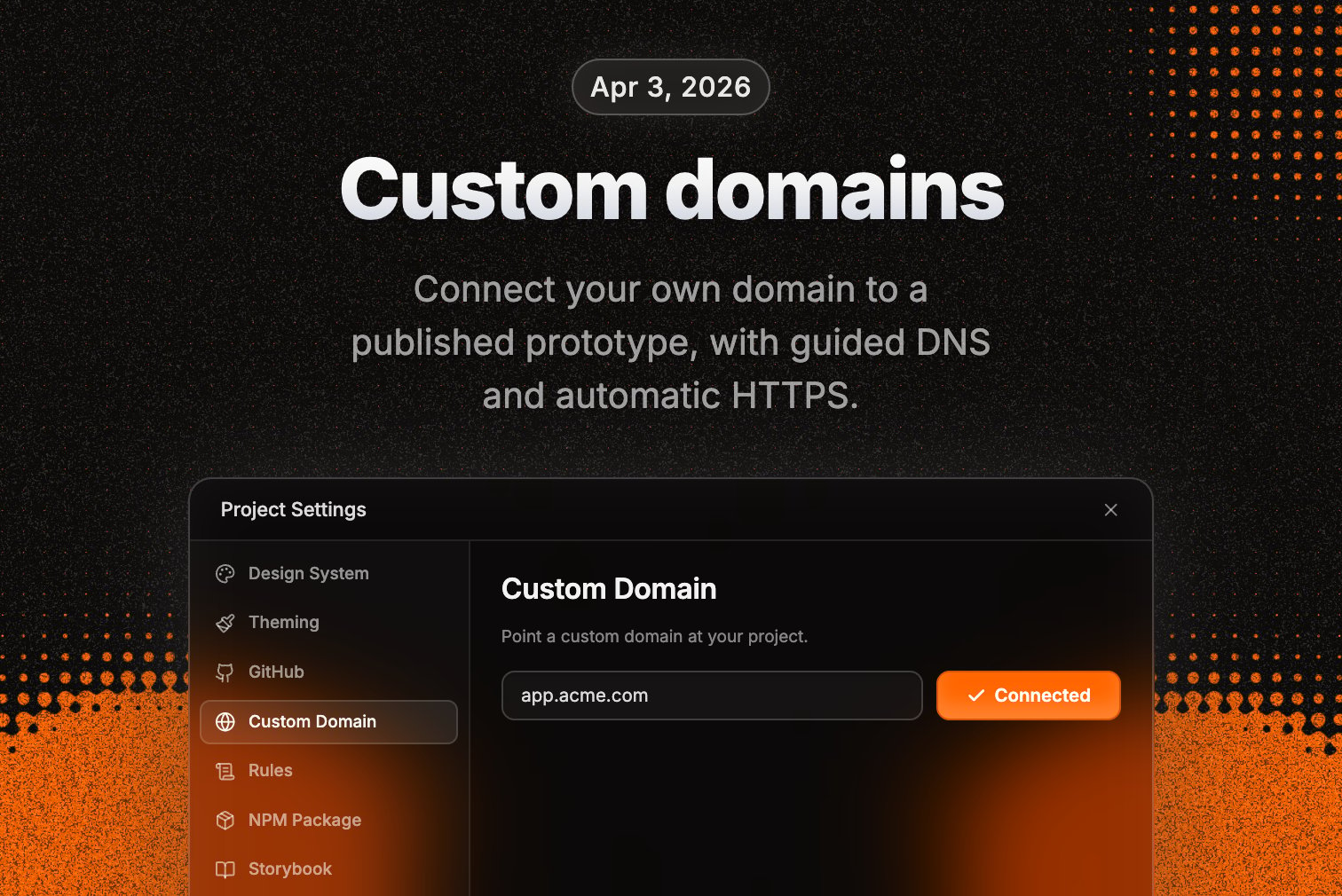
Connect your own domain to a published prototype — apex or subdomain. Guided DNS setup, live verification status, automatic HTTPS with nothing to configure. Ship client demos and internal tools under your own brand instead of a preview link.
**Improvements**
* The file navigator orders files by type and mutes unused ones
* The error fixer dropped noisy routing errors that were more confusing than helpful
**Custom domains**
Connect your own domain to a published prototype — apex or subdomain. Guided DNS setup, live verification status, automatic HTTPS with nothing to configure. Ship client demos and internal tools under your own brand instead of a preview link.
**Improvements**
* The file navigator orders files by type and mutes unused ones
* The error fixer dropped noisy routing errors that were more confusing than helpful
 **Supabase: give your prototypes a real database**
Describe the data you want to store in plain English. Polymet provisions a real Postgres database, writes the migrations, sets up security, and wires your app to it — no SQL, no dashboard, no account to manage.
**Backends: edge functions and full-stack apps**
Polymet doesn't just build the screens anymore. The AI writes and deploys real server-side functions — auth, webhooks, scheduled jobs — running on a global edge network. Full-stack apps from a description.
**Integrations: connect anything**
Want payments, email, or SMS in your prototype? Describe it. Polymet detects the integration, asks you for the API key (stored safely as a secret), and wires up the whole flow end to end. Real capabilities, not mock buttons.
**Improvements**
* Per-file pricing is cheaper — edits dropped from 10 to 6 credits
**Bug fixes**
* GitHub backup is more reliable across the board
* GitHub pushes retry on transient failures instead of just failing
* A disconnected GitHub account now clearly shows it needs reconnecting
* Your login state holds across generations, so you don't get logged out every prompt
**Supabase: give your prototypes a real database**
Describe the data you want to store in plain English. Polymet provisions a real Postgres database, writes the migrations, sets up security, and wires your app to it — no SQL, no dashboard, no account to manage.
**Backends: edge functions and full-stack apps**
Polymet doesn't just build the screens anymore. The AI writes and deploys real server-side functions — auth, webhooks, scheduled jobs — running on a global edge network. Full-stack apps from a description.
**Integrations: connect anything**
Want payments, email, or SMS in your prototype? Describe it. Polymet detects the integration, asks you for the API key (stored safely as a secret), and wires up the whole flow end to end. Real capabilities, not mock buttons.
**Improvements**
* Per-file pricing is cheaper — edits dropped from 10 to 6 credits
**Bug fixes**
* GitHub backup is more reliable across the board
* GitHub pushes retry on transient failures instead of just failing
* A disconnected GitHub account now clearly shows it needs reconnecting
* Your login state holds across generations, so you don't get logged out every prompt
 **GitHub integration**
Connect a Polymet project to a GitHub repo and the two stay in sync both ways. The AI commits and pushes as it generates; push changes on GitHub and Polymet pulls them back as a new version. There's a manual sync button and a clear last-synced status, and if your connection breaks, Polymet tells you.
**Improvements**
* The AI's code edits show a real diff in chat instead of opaque text
* Images the AI generates show up directly in chat
* The design system tab loads reliably and shows import paths and usage
**Bug fixes**
* Project settings now validates CSS variables before saving
* Fixed a batch of design system, project settings, and GitHub sync bugs
**AI skills**
The AI loads task-specific expertise on demand — building charts, working with data, and more — instead of carrying every instruction at once. Sharper, more accurate generations for the task in front of it.
**Interactive chat tools**
The AI can now ask for your input mid-generation. The first one: it can delete a file, but asks you to confirm first.
**GitHub integration**
Connect a Polymet project to a GitHub repo and the two stay in sync both ways. The AI commits and pushes as it generates; push changes on GitHub and Polymet pulls them back as a new version. There's a manual sync button and a clear last-synced status, and if your connection breaks, Polymet tells you.
**Improvements**
* The AI's code edits show a real diff in chat instead of opaque text
* Images the AI generates show up directly in chat
* The design system tab loads reliably and shows import paths and usage
**Bug fixes**
* Project settings now validates CSS variables before saving
* Fixed a batch of design system, project settings, and GitHub sync bugs
**AI skills**
The AI loads task-specific expertise on demand — building charts, working with data, and more — instead of carrying every instruction at once. Sharper, more accurate generations for the task in front of it.
**Interactive chat tools**
The AI can now ask for your input mid-generation. The first one: it can delete a file, but asks you to confirm first.
 **The AI explores your codebase like a developer**
The AI can now run real shell commands while it builds — searching your files, inspecting history, tracing how things connect. It makes better-informed edits instead of guessing, which matters most on larger projects.
**Bug fixes**
* Your own prompt messages now show up when you open an older version
**The AI explores your codebase like a developer**
The AI can now run real shell commands while it builds — searching your files, inspecting history, tracing how things connect. It makes better-informed edits instead of guessing, which matters most on larger projects.
**Bug fixes**
* Your own prompt messages now show up when you open an older version
 **Generated apps look right on mobile**
Generated apps and previews now scale correctly on phones, instead of rendering at desktop width.
**Bug fixes**
* Fixed a streaming bug that was causing some generations to fail
* The focused preview no longer jumps around unexpectedly
**Smarter error fixing**
The error fixer now looks at build errors and runtime errors together, so its fixes target the problems you actually see.
**Improvements**
* The code editor shows a loading state instead of looking empty while it loads
* Duplicating a project is faster
**Bug fixes**
* Your latest edits show immediately instead of serving stale content
* Figma connection errors show as a clear message instead of failing silently
* More reliable AI edits and bundling on large projects
**Generated apps look right on mobile**
Generated apps and previews now scale correctly on phones, instead of rendering at desktop width.
**Bug fixes**
* Fixed a streaming bug that was causing some generations to fail
* The focused preview no longer jumps around unexpectedly
**Smarter error fixing**
The error fixer now looks at build errors and runtime errors together, so its fixes target the problems you actually see.
**Improvements**
* The code editor shows a loading state instead of looking empty while it loads
* Duplicating a project is faster
**Bug fixes**
* Your latest edits show immediately instead of serving stale content
* Figma connection errors show as a clear message instead of failing silently
* More reliable AI edits and bundling on large projects
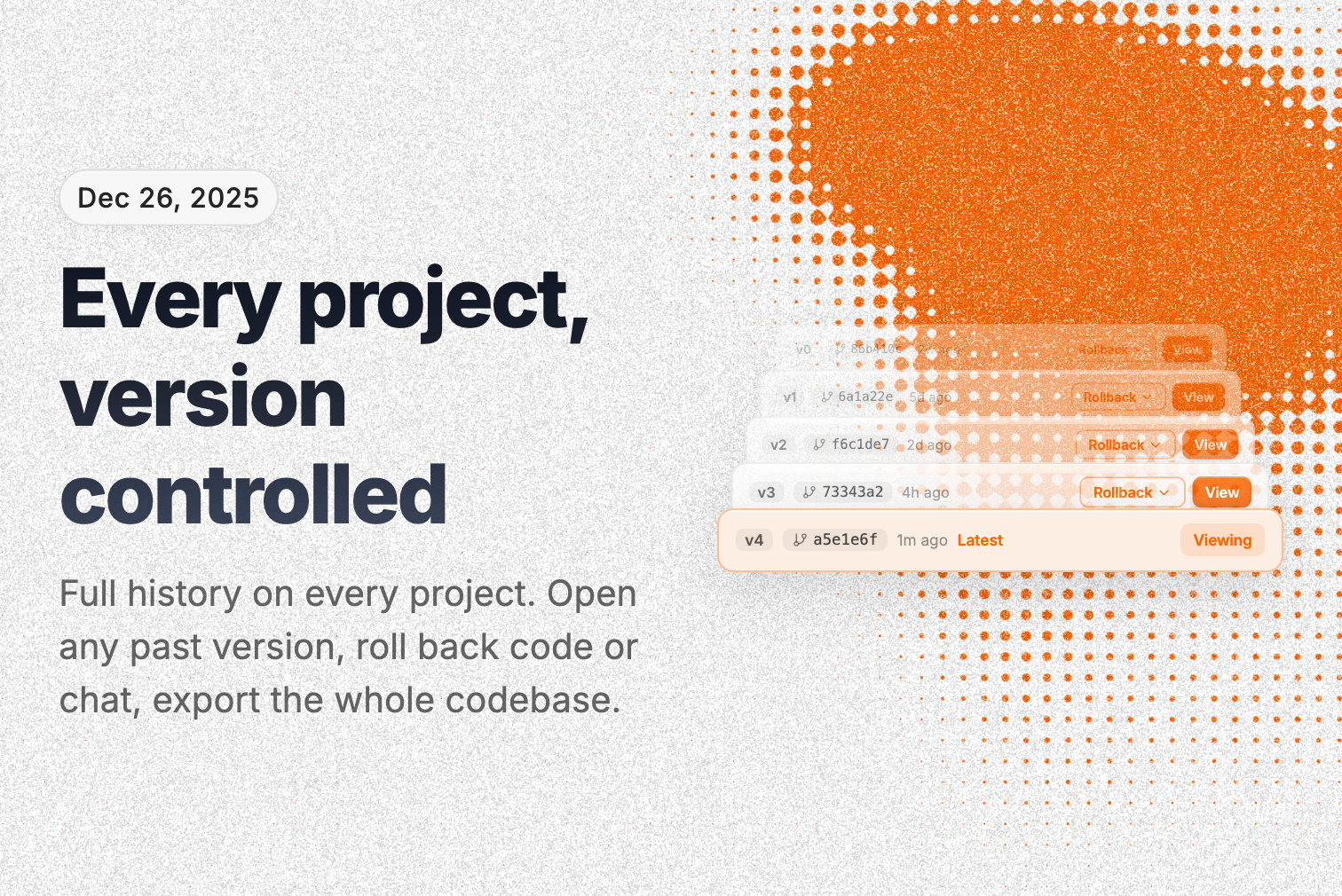
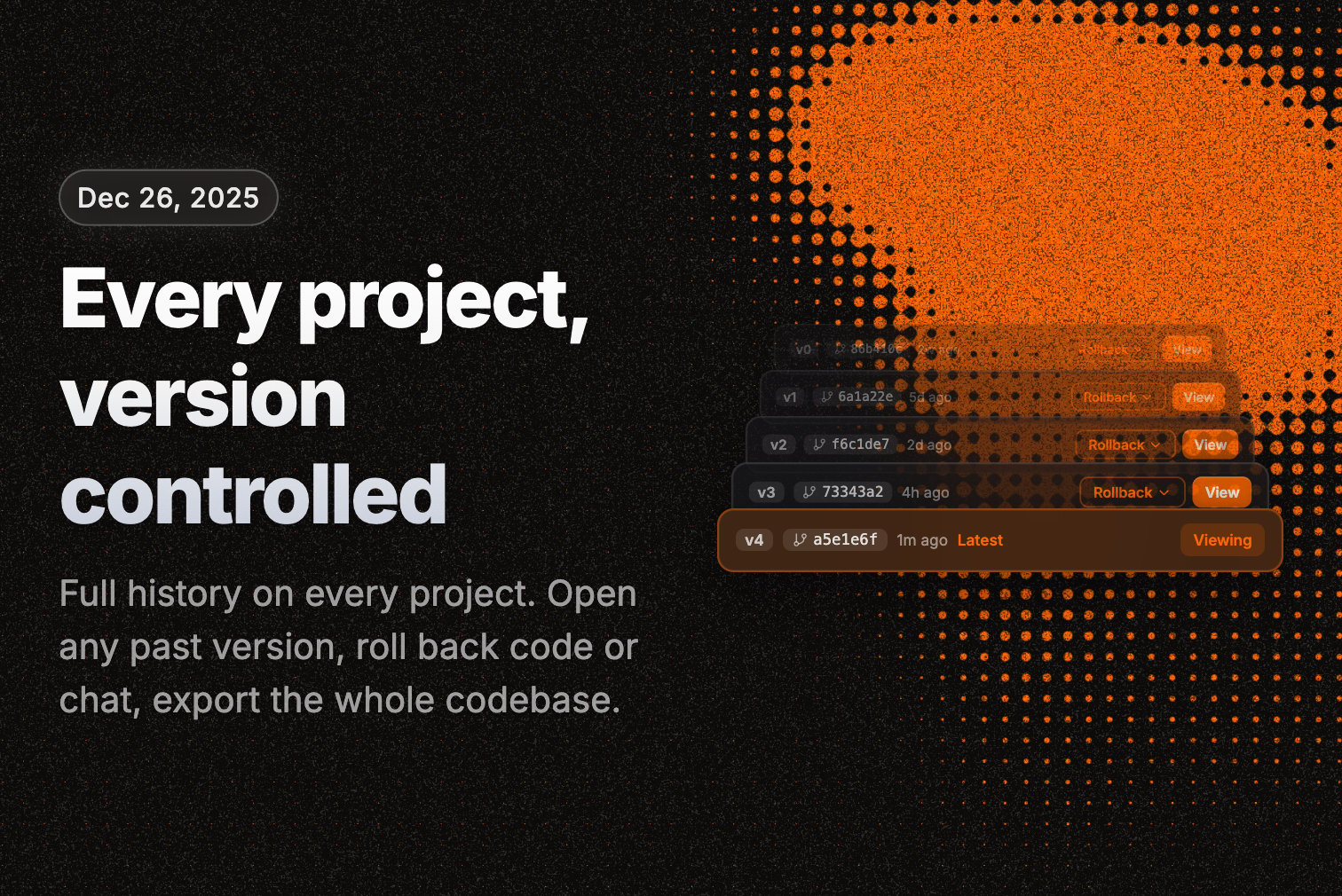 **Every project is git-backed**
Every Polymet project now has full version history. Open any past version to see exactly what it looked like, and roll back to it — code, chat, or both. This works on older projects too.
**Live theme editing**
Change colors, fonts, radius, and dark/light mode and watch the preview update in real time. Save when it looks right.
**File rename, delete, and share — rebuilt**
Renaming, deleting, and sharing files now show you exactly what will change before you confirm, and no longer freeze on large projects.
**Code export for every project**
Download any project as a complete, ready-to-run codebase — design system included.
**Improvements**
* Live error checking in the code editor — syntax and build errors show as you type, and Save is blocked until your code compiles
* Versions get descriptive AI-written names instead of generic labels
* Smoother canvas while the AI is generating
**Bug fixes**
* Generations no longer fail on large files
* Fixed a crash when opening certain projects
* Fixed flaky previews and broken export downloads
**Improvements**
* A prompt to refresh when a new version ships while you have an old tab open, so you don't hit bugs on a stale page
**Bug fixes**
* Fixed generations failing on certain image content
**Better visual editing**
More accurate element selection when you click to edit — the AI gets clearer context about what you picked, so revisions land better.
**Improvements**
* Cleaner, more readable URLs for published projects
* Published projects show proper styled error pages instead of broken responses
* Non-owners can now duplicate a project
**Improvements**
* A confirmation prompt before you navigate away from unsaved theme changes
* Faster project loading
**Bug fixes**
* Fixed a data issue that left some projects unable to delete certain files
**Publish state for design systems**
Design systems now show their publish status everywhere — badges on cards, a publish prompt in chat, and the published version pinned to the top of the dropdown. You always know what's live.
**Editable theme variables**
Edit, rename, or remove the default theme variables, not just custom ones.
**Figma import overhaul**
A cleaner Figma import flow — new project cards, simpler frame selection, better navigation.
**Improvements**
* Rebuilt toasts with a consistent look
**Bug fixes**
* Revision editing no longer crashes the app on pages with live-updating elements
* Fixed theme and code edits colliding on save
* Fixed the app becoming completely unclickable
* Fixed the color picker and color inputs
* Paid users no longer see the upgrade prompt
* Figma imports now pick the right project type
**Every project is git-backed**
Every Polymet project now has full version history. Open any past version to see exactly what it looked like, and roll back to it — code, chat, or both. This works on older projects too.
**Live theme editing**
Change colors, fonts, radius, and dark/light mode and watch the preview update in real time. Save when it looks right.
**File rename, delete, and share — rebuilt**
Renaming, deleting, and sharing files now show you exactly what will change before you confirm, and no longer freeze on large projects.
**Code export for every project**
Download any project as a complete, ready-to-run codebase — design system included.
**Improvements**
* Live error checking in the code editor — syntax and build errors show as you type, and Save is blocked until your code compiles
* Versions get descriptive AI-written names instead of generic labels
* Smoother canvas while the AI is generating
**Bug fixes**
* Generations no longer fail on large files
* Fixed a crash when opening certain projects
* Fixed flaky previews and broken export downloads
**Improvements**
* A prompt to refresh when a new version ships while you have an old tab open, so you don't hit bugs on a stale page
**Bug fixes**
* Fixed generations failing on certain image content
**Better visual editing**
More accurate element selection when you click to edit — the AI gets clearer context about what you picked, so revisions land better.
**Improvements**
* Cleaner, more readable URLs for published projects
* Published projects show proper styled error pages instead of broken responses
* Non-owners can now duplicate a project
**Improvements**
* A confirmation prompt before you navigate away from unsaved theme changes
* Faster project loading
**Bug fixes**
* Fixed a data issue that left some projects unable to delete certain files
**Publish state for design systems**
Design systems now show their publish status everywhere — badges on cards, a publish prompt in chat, and the published version pinned to the top of the dropdown. You always know what's live.
**Editable theme variables**
Edit, rename, or remove the default theme variables, not just custom ones.
**Figma import overhaul**
A cleaner Figma import flow — new project cards, simpler frame selection, better navigation.
**Improvements**
* Rebuilt toasts with a consistent look
**Bug fixes**
* Revision editing no longer crashes the app on pages with live-updating elements
* Fixed theme and code edits colliding on save
* Fixed the app becoming completely unclickable
* Fixed the color picker and color inputs
* Paid users no longer see the upgrade prompt
* Figma imports now pick the right project type
 **Major performance improvements**
We've made significant platform upgrades that bring faster load times, smoother interactions, and a more stable foundation for everything we're building.
**Figma component import**
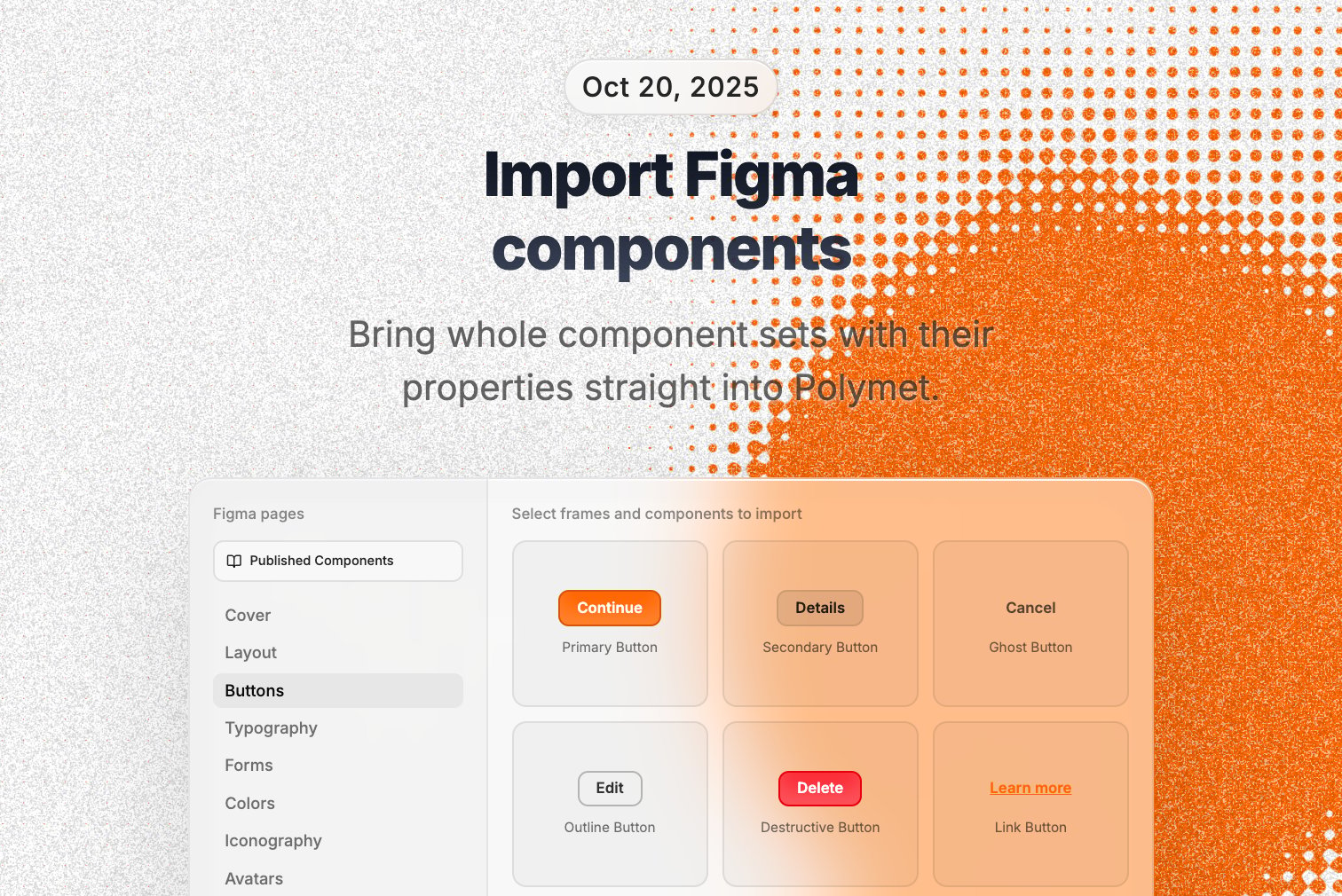
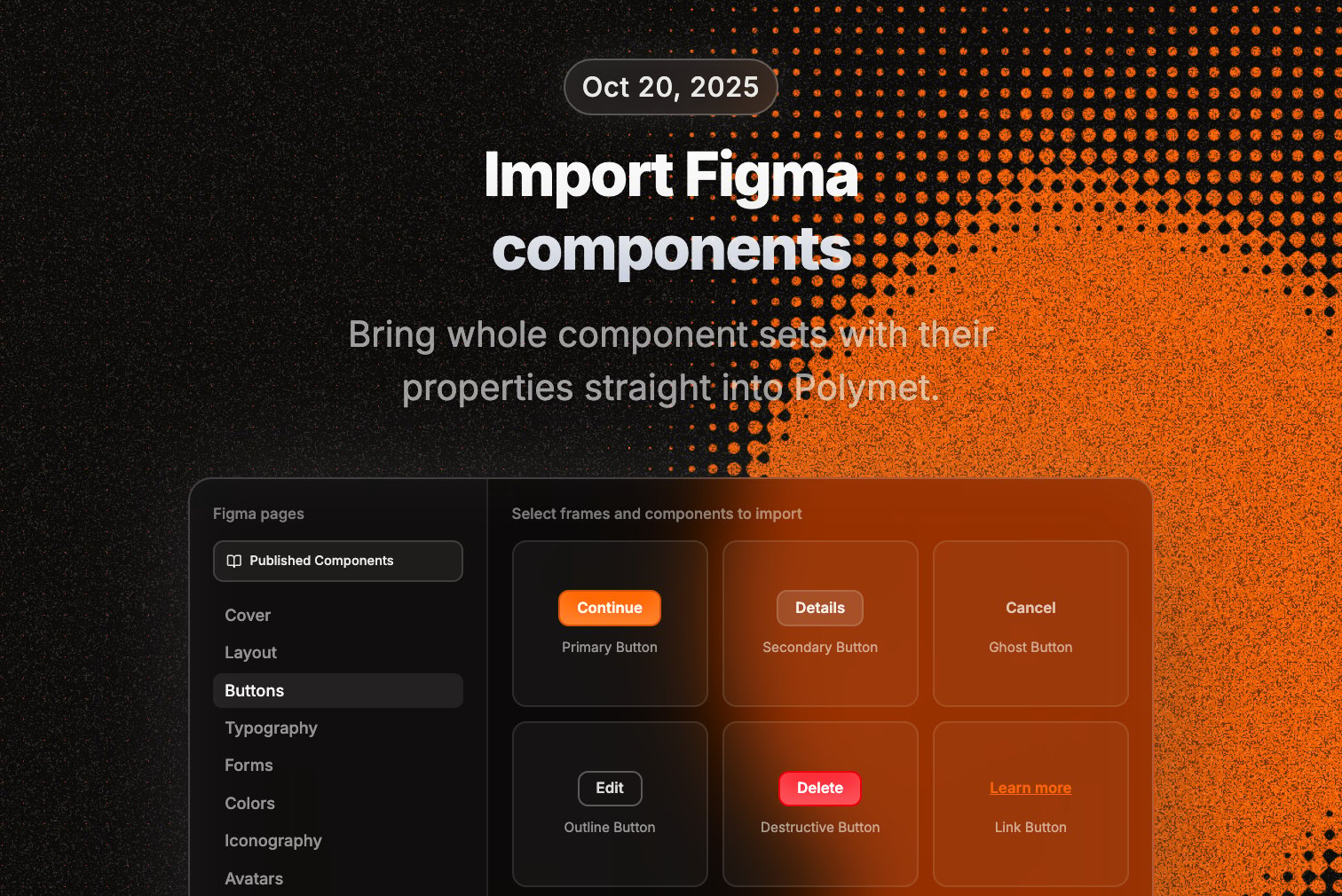
You can now import Figma component sets with all their variants and properties directly into Polymet. No more manually recreating components—just grab them from Figma and start iterating.
**Team design systems**
Published design systems can now be shared across your entire organization. Build once, use everywhere.
**Bug fixes**
* Fixed Figma asset upload issues that were blocking plugin workflows
* Resolved project library linking problems
* Improved generation reliability with better error recovery
**Major performance improvements**
We've made significant platform upgrades that bring faster load times, smoother interactions, and a more stable foundation for everything we're building.
**Figma component import**
You can now import Figma component sets with all their variants and properties directly into Polymet. No more manually recreating components—just grab them from Figma and start iterating.
**Team design systems**
Published design systems can now be shared across your entire organization. Build once, use everywhere.
**Bug fixes**
* Fixed Figma asset upload issues that were blocking plugin workflows
* Resolved project library linking problems
* Improved generation reliability with better error recovery
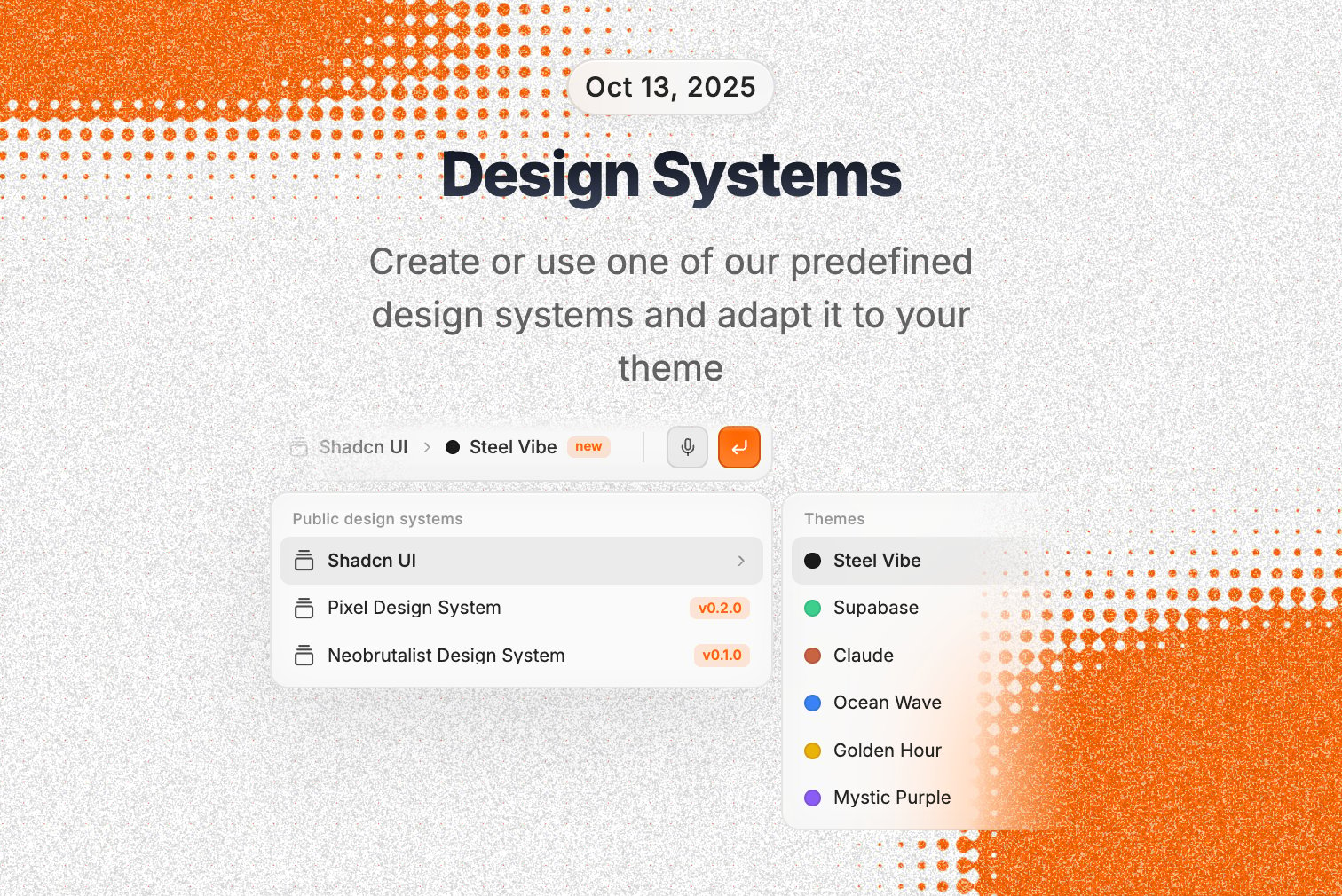
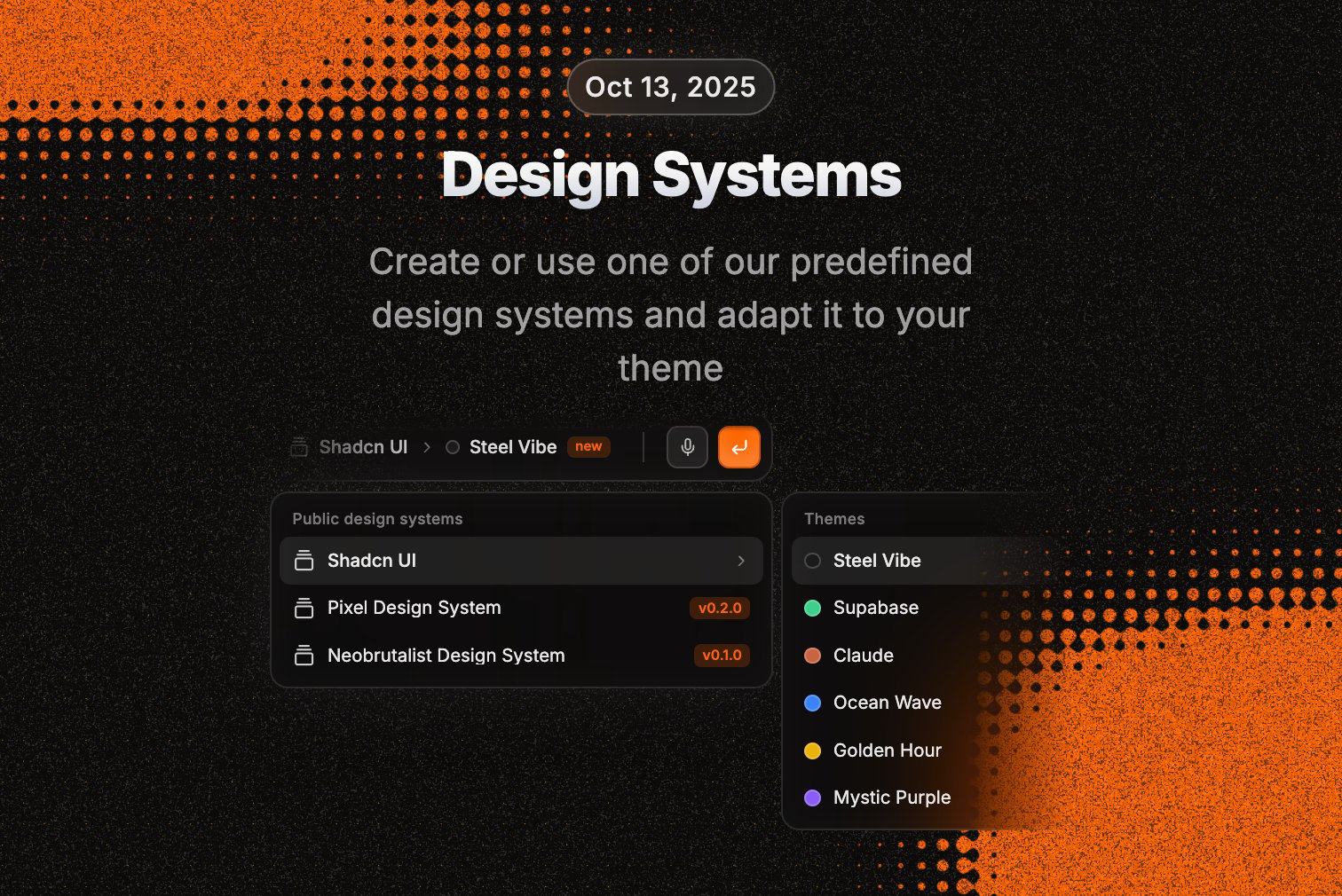 **Preset design themes**
Choose from beautiful themes including Supabase, Claude, and other popular design systems when creating projects. No more starting from scratch.
**Advanced theme editor**
Complete control over your design system. Customize color palettes, typography, and design tokens. Everything updates in real-time.
**Project collaboration**
Invite teammates to specific projects with proper permissions. Pending invitations, member management, the works.
**Improvements**
* Smart file organization with "Not in use" badges for unused files
* Better handling of large projects with many dependencies
* Improved import management for cleaner project structure
**Preset design themes**
Choose from beautiful themes including Supabase, Claude, and other popular design systems when creating projects. No more starting from scratch.
**Advanced theme editor**
Complete control over your design system. Customize color palettes, typography, and design tokens. Everything updates in real-time.
**Project collaboration**
Invite teammates to specific projects with proper permissions. Pending invitations, member management, the works.
**Improvements**
* Smart file organization with "Not in use" badges for unused files
* Better handling of large projects with many dependencies
* Improved import management for cleaner project structure
 **Claude 4.5**
Upgraded to Claude Sonnet 4.5 for even better generation quality and more consistent results.
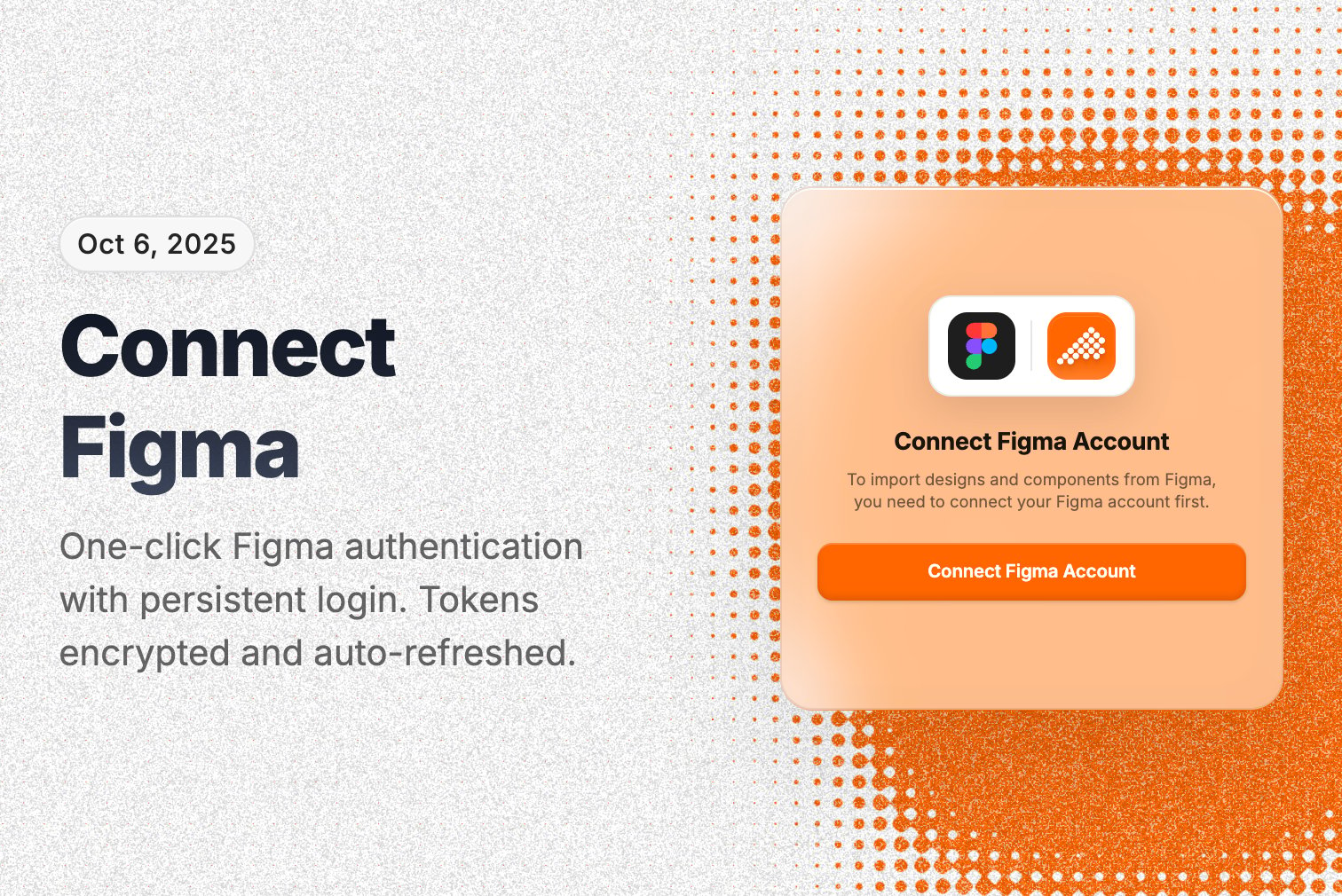
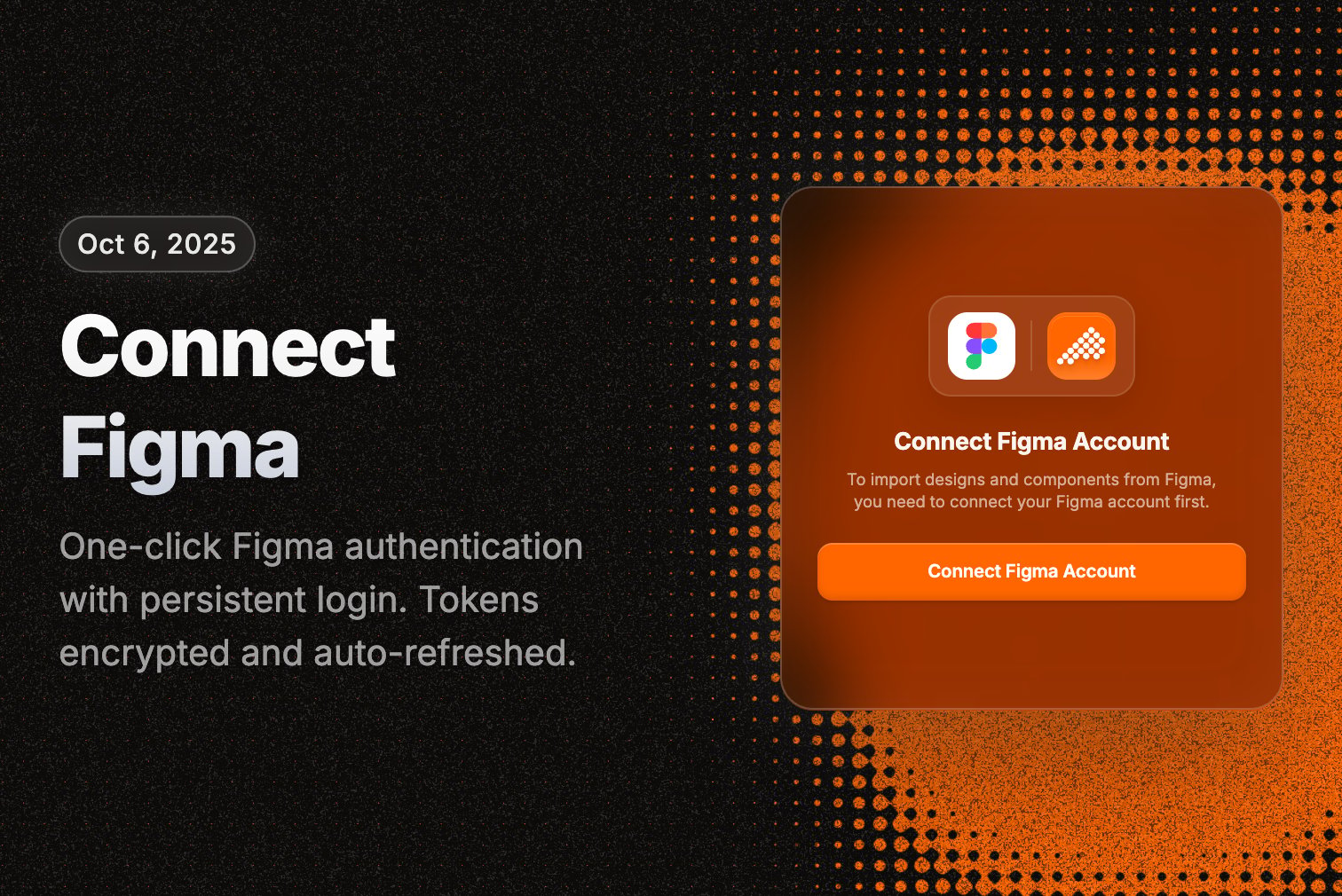
**Secure Figma connection**
One-click Figma authentication with persistent login. Your tokens are encrypted and automatically refreshed.
**Custom color system**
Advanced color management with CSS variables and design token support. Build consistent brands across all your projects.
**Live typography preview**
See font changes instantly with full Google Fonts access. No more guessing what fonts look like.
**Improvements**
* Moved theme controls to the main canvas for better workflow
* Optimized font loading with smart caching
* Better error handling that keeps you in your project
**New landing experience**
Complete redesign with a modern interface. You can now start generating designs before signing up—just type your idea and we'll handle the rest.
**Smart project names**
AI automatically suggests meaningful project names based on what you're building. No more "Untitled Project 47."
**Enhanced image processing**
Better image handling with SVG to PNG conversion and automatic optimization for large images.
**Improvements**
* Streamlined auth flows with better user guidance
* Enhanced preview links with upgrade options for free users
* Smart prompt limits for optimal performance
**Claude 4.5**
Upgraded to Claude Sonnet 4.5 for even better generation quality and more consistent results.
**Secure Figma connection**
One-click Figma authentication with persistent login. Your tokens are encrypted and automatically refreshed.
**Custom color system**
Advanced color management with CSS variables and design token support. Build consistent brands across all your projects.
**Live typography preview**
See font changes instantly with full Google Fonts access. No more guessing what fonts look like.
**Improvements**
* Moved theme controls to the main canvas for better workflow
* Optimized font loading with smart caching
* Better error handling that keeps you in your project
**New landing experience**
Complete redesign with a modern interface. You can now start generating designs before signing up—just type your idea and we'll handle the rest.
**Smart project names**
AI automatically suggests meaningful project names based on what you're building. No more "Untitled Project 47."
**Enhanced image processing**
Better image handling with SVG to PNG conversion and automatic optimization for large images.
**Improvements**
* Streamlined auth flows with better user guidance
* Enhanced preview links with upgrade options for free users
* Smart prompt limits for optimal performance
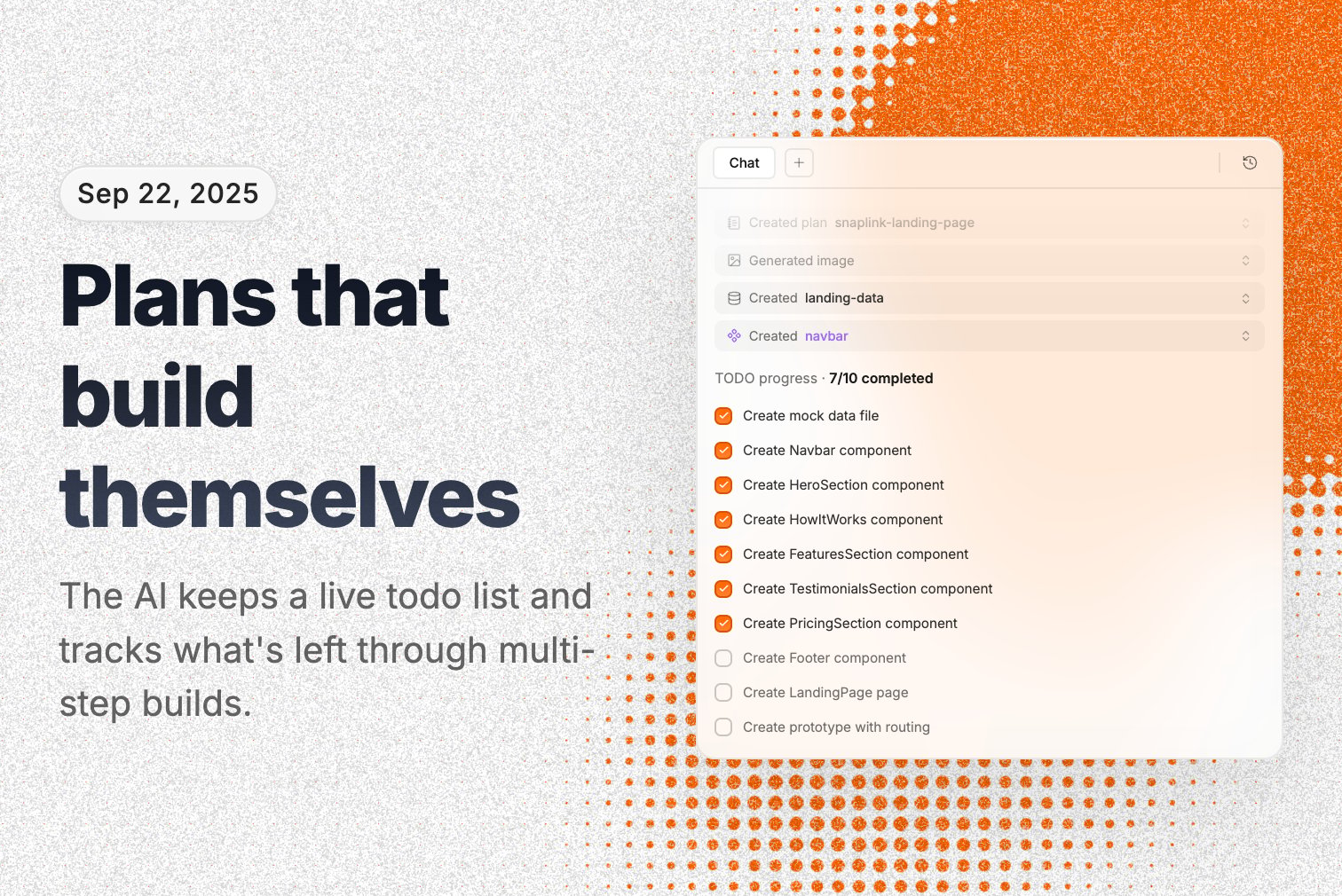
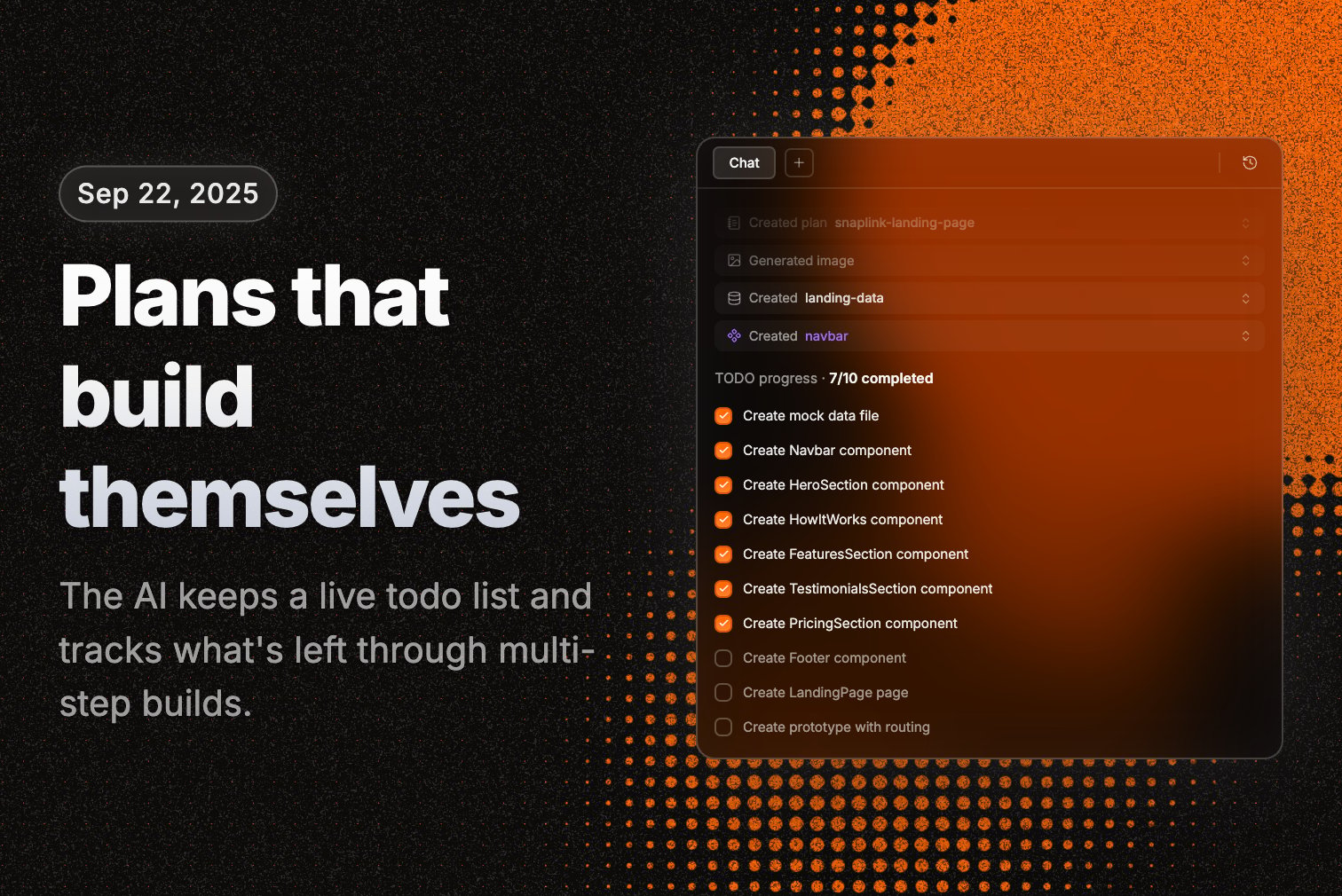 **AI task planning**
AI can now create and track todo lists for complex projects. It helps you stay organized through multi-step builds and remembers what's left to do.
**Dynamic inspiration**
Suggested prompts change every time you visit to spark new project ideas. No more seeing the same suggestions.
**Improvements**
* Enhanced chat with better message formatting and smooth scrolling
* Faster file processing with reduced redundant operations
* Better project file organization and navigation
* Improved file upload experience with clearer feedback
**Conversation memory**
AI now remembers previous conversations and can reference earlier iterations. It understands the full context of your project history.
**Smart context awareness**
AI adapts its responses based on your project size and complexity. It knows when to be detailed vs. concise.
**Intelligent file selection**
AI focuses on the most relevant files when making changes instead of randomly editing everything.
**Improvements**
* Helpful guidance when working with large files (1000+ lines)
* Better conversation history that maintains context across sessions
* Enhanced understanding of active files and current focus areas
**AI task planning**
AI can now create and track todo lists for complex projects. It helps you stay organized through multi-step builds and remembers what's left to do.
**Dynamic inspiration**
Suggested prompts change every time you visit to spark new project ideas. No more seeing the same suggestions.
**Improvements**
* Enhanced chat with better message formatting and smooth scrolling
* Faster file processing with reduced redundant operations
* Better project file organization and navigation
* Improved file upload experience with clearer feedback
**Conversation memory**
AI now remembers previous conversations and can reference earlier iterations. It understands the full context of your project history.
**Smart context awareness**
AI adapts its responses based on your project size and complexity. It knows when to be detailed vs. concise.
**Intelligent file selection**
AI focuses on the most relevant files when making changes instead of randomly editing everything.
**Improvements**
* Helpful guidance when working with large files (1000+ lines)
* Better conversation history that maintains context across sessions
* Enhanced understanding of active files and current focus areas
 **File management tools**
Advanced project organization with file viewing, editing, and version comparison. See what changed between iterations.
**Smart file refactoring**
AI-powered assistance to break down large files into smaller, manageable components. Better project structure automatically.
**Improvements**
* Double-click canvas elements to make them fully interactive for testing
* Alphabetical file sorting in navigator
* Clearer error messages and guidance when generations fail
* Better file upload handling with improved feedback
**File management tools**
Advanced project organization with file viewing, editing, and version comparison. See what changed between iterations.
**Smart file refactoring**
AI-powered assistance to break down large files into smaller, manageable components. Better project structure automatically.
**Improvements**
* Double-click canvas elements to make them fully interactive for testing
* Alphabetical file sorting in navigator
* Clearer error messages and guidance when generations fail
* Better file upload handling with improved feedback
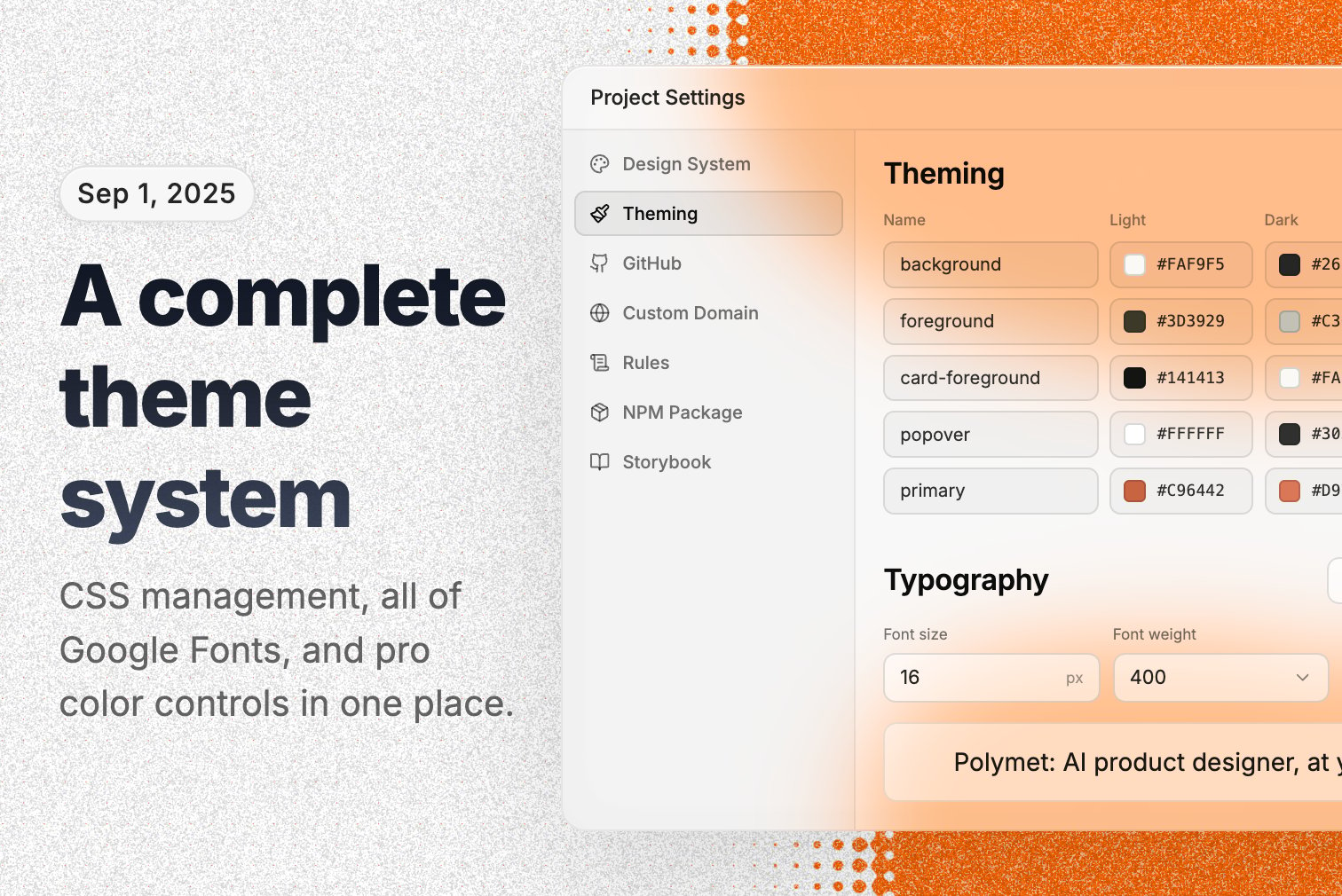
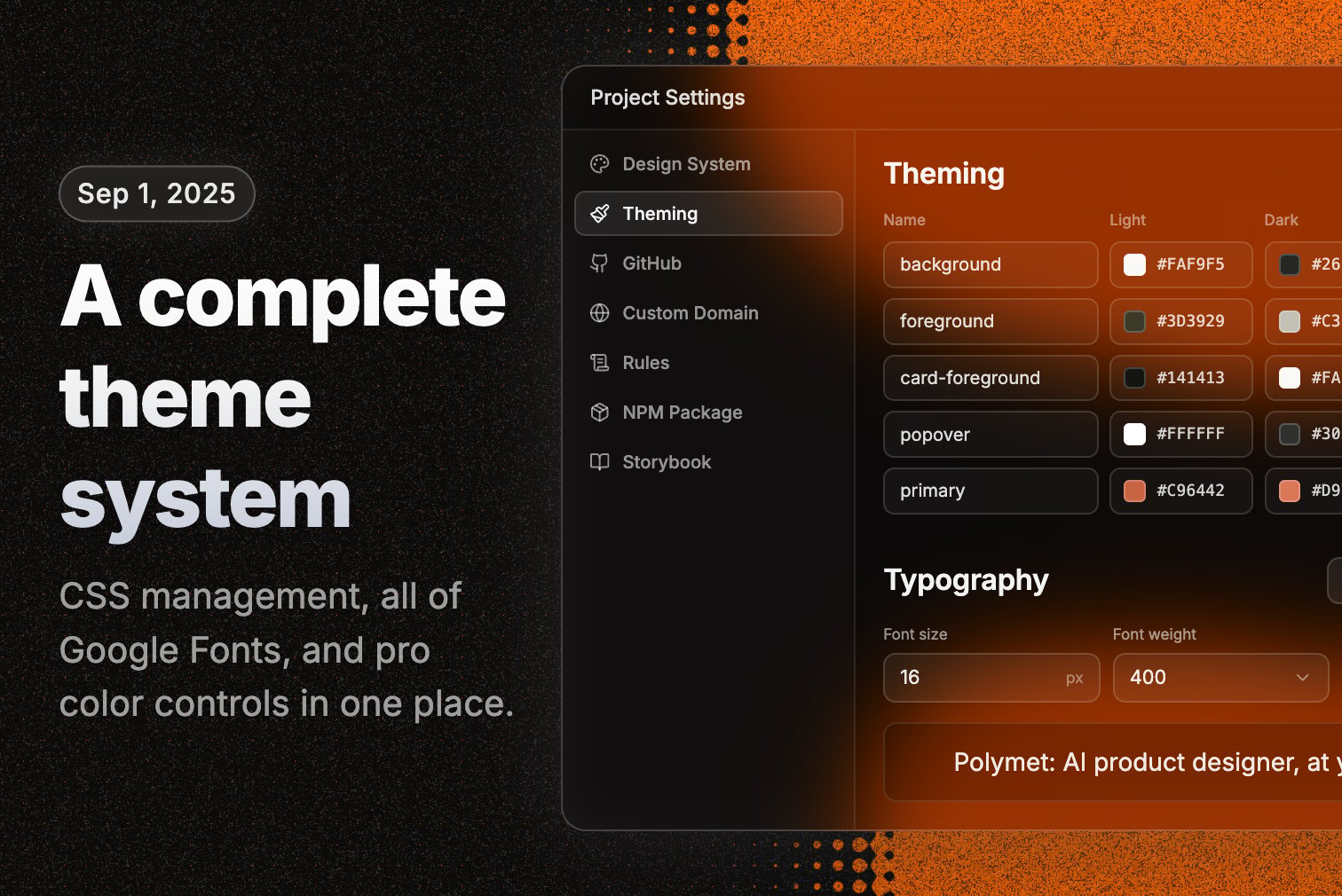 **Complete theme system**
Comprehensive theming with CSS management, theme templates, and custom styling options. Everything you need for consistent design.
**Google Fonts integration**
Full access to Google Fonts library with live preview. See exactly how fonts look before applying them.
**Advanced color tools**
Professional color picker with theme presets and custom color management. Build cohesive color systems.
**Improvements**
* Better default themes with professional styling
* Improved theme selection interface
* Enhanced control over colors, typography, and design tokens
**Complete chat history**
Full conversation history showing all iterations. Click "Load older iterations" to review past work and decisions.
**Automatic progress tracking**
System automatically creates iterations for your manual edits, keeping complete project history without any effort from you.
**Enhanced image display**
Expandable images in chat and prompts for better visual reference and communication.
**Improvements**
* Clearer iteration labeling starting with "Initial" instead of confusing numbers
* Improved message display without duplicates
* Better chat experience on both mobile and desktop
**Conversation persistence**
Your conversations with AI are saved and retrieved across sessions. Pick up exactly where you left off.
**SVG image support**
Upload and use SVG images in prompts. AI understands them and can work with vector graphics.
**Usage insights**
Track your generation usage and costs to manage your subscription efficiently. Know where your credits go.
**Bug fixes**
* Fixed dark/light mode sync between app and preview windows
* Better fallback when custom themes aren't available
* Faster processing for image-heavy projects
**Smart file understanding**
AI intelligently selects the most relevant files based on your project structure. No more wasted effort on irrelevant code.
**Component analysis**
AI understands component properties and interfaces for better code generation and suggestions.
**Conversation recovery**
Advanced system to rebuild conversation history for seamless project continuity when things go wrong.
**Improvements**
* Better organized AI responses with improved structure
* Enhanced AI awareness of file organization and dependencies
* Better handling of active files and current focus areas
**Seamless continuation**
Resume interrupted generations exactly where you left off. No lost progress or context.
**Smart error recovery**
Automatic error detection with intelligent retry mechanisms. Much more reliable generations.
**Faster performance**
Improved caching system for faster loading and reduced generation times.
**Improvements**
* Better file type detection and path management
* Enhanced utilities for project file management
* Improved user feedback during generations
**Real-time AI actions**
Watch AI work in real-time with live updates showing what's being created, modified, or fixed in your chat. Full transparency.
**Smarter file updates**
Optimized file editing that batches multiple changes together. Faster performance, fewer interruptions.
**Fair credit usage**
Credits are only deducted when generations complete successfully. You don't pay for failed attempts.
**Improvements**
* Enhanced chat experience with smooth animations and collapsible details
* Better AI understanding of file structures and multi-file workflows
* Smart support suggestions when you hit recurring issues
**Rebuilt generation engine**
Completely rebuilt our generation system with automatic error recovery and dramatically improved success rates. This is the foundation that powers everything else.
**Advanced AI tools**
New tool-based system gives you better control and visibility into what AI is doing. No more black box.
**Bug fixes**
* Better handling of network issues and temporary failures
* Enhanced input validation to catch problems early
* Improved handling of interruptions and recovery
**Complete theme system**
Comprehensive theming with CSS management, theme templates, and custom styling options. Everything you need for consistent design.
**Google Fonts integration**
Full access to Google Fonts library with live preview. See exactly how fonts look before applying them.
**Advanced color tools**
Professional color picker with theme presets and custom color management. Build cohesive color systems.
**Improvements**
* Better default themes with professional styling
* Improved theme selection interface
* Enhanced control over colors, typography, and design tokens
**Complete chat history**
Full conversation history showing all iterations. Click "Load older iterations" to review past work and decisions.
**Automatic progress tracking**
System automatically creates iterations for your manual edits, keeping complete project history without any effort from you.
**Enhanced image display**
Expandable images in chat and prompts for better visual reference and communication.
**Improvements**
* Clearer iteration labeling starting with "Initial" instead of confusing numbers
* Improved message display without duplicates
* Better chat experience on both mobile and desktop
**Conversation persistence**
Your conversations with AI are saved and retrieved across sessions. Pick up exactly where you left off.
**SVG image support**
Upload and use SVG images in prompts. AI understands them and can work with vector graphics.
**Usage insights**
Track your generation usage and costs to manage your subscription efficiently. Know where your credits go.
**Bug fixes**
* Fixed dark/light mode sync between app and preview windows
* Better fallback when custom themes aren't available
* Faster processing for image-heavy projects
**Smart file understanding**
AI intelligently selects the most relevant files based on your project structure. No more wasted effort on irrelevant code.
**Component analysis**
AI understands component properties and interfaces for better code generation and suggestions.
**Conversation recovery**
Advanced system to rebuild conversation history for seamless project continuity when things go wrong.
**Improvements**
* Better organized AI responses with improved structure
* Enhanced AI awareness of file organization and dependencies
* Better handling of active files and current focus areas
**Seamless continuation**
Resume interrupted generations exactly where you left off. No lost progress or context.
**Smart error recovery**
Automatic error detection with intelligent retry mechanisms. Much more reliable generations.
**Faster performance**
Improved caching system for faster loading and reduced generation times.
**Improvements**
* Better file type detection and path management
* Enhanced utilities for project file management
* Improved user feedback during generations
**Real-time AI actions**
Watch AI work in real-time with live updates showing what's being created, modified, or fixed in your chat. Full transparency.
**Smarter file updates**
Optimized file editing that batches multiple changes together. Faster performance, fewer interruptions.
**Fair credit usage**
Credits are only deducted when generations complete successfully. You don't pay for failed attempts.
**Improvements**
* Enhanced chat experience with smooth animations and collapsible details
* Better AI understanding of file structures and multi-file workflows
* Smart support suggestions when you hit recurring issues
**Rebuilt generation engine**
Completely rebuilt our generation system with automatic error recovery and dramatically improved success rates. This is the foundation that powers everything else.
**Advanced AI tools**
New tool-based system gives you better control and visibility into what AI is doing. No more black box.
**Bug fixes**
* Better handling of network issues and temporary failures
* Enhanced input validation to catch problems early
* Improved handling of interruptions and recovery
 **Agent Mode**
Released our agentic generation system with Claude 4. Reduced errors 90%, improved instruction following, and sped up iterations 1.5x.
**Bug fixes**
* Fixed visual edits saving bugs and improved performance
**Transfer files between projects**
Move design files between projects. Copy components, pages, or entire sections to reuse across your work.
**Resumable stream**
Network dropped during generation? No problem. Polymet automatically reconnects and continues where it left off.
**Multiplayer views**
Multiple browsers can follow the same generations in real-time.
**File deletion with undo**
Delete files with confidence. Undo button appears after deletion to restore if needed.
**Agent Mode**
Released our agentic generation system with Claude 4. Reduced errors 90%, improved instruction following, and sped up iterations 1.5x.
**Bug fixes**
* Fixed visual edits saving bugs and improved performance
**Transfer files between projects**
Move design files between projects. Copy components, pages, or entire sections to reuse across your work.
**Resumable stream**
Network dropped during generation? No problem. Polymet automatically reconnects and continues where it left off.
**Multiplayer views**
Multiple browsers can follow the same generations in real-time.
**File deletion with undo**
Delete files with confidence. Undo button appears after deletion to restore if needed.
 **Figma Import & Export**
Import your Figma design frames into Polymet and export back to Figma. Complete workflow integration with asset support.
**Route navigation**
Navigate between pages inside prototypes. See route paths and get alerts when links don't go anywhere.
**Improvements**
* File filtering and search within projects
* Code diff viewer - see exactly what changed between versions
* Better unauthorized user handling
* Fixed preview page routing issues
**Figma Import & Export**
Import your Figma design frames into Polymet and export back to Figma. Complete workflow integration with asset support.
**Route navigation**
Navigate between pages inside prototypes. See route paths and get alerts when links don't go anywhere.
**Improvements**
* File filtering and search within projects
* Code diff viewer - see exactly what changed between versions
* Better unauthorized user handling
* Fixed preview page routing issues
 **Visual Editor**
Edit designs without code. Change text, margins, padding, colors, backgrounds, borders, and images with instant preview.
**Image editing**
Upload your own images or generate with AI directly from the visual editor. Replace any image with one click.
**Custom color picker**
Professional color picker with hex, RGB, HSL values and opacity control. Precision color editing.
**Improvements**
* Individual margin and padding controls for precise spacing
* Drag to adjust values, keyboard shortcuts for quick edits
* Links from Canvas open in new tabs
* AI error fixes are free
**Code Editor**
Edit code directly on Canvas. Make quick changes, fix bugs, or customize generated code.
**Code diff viewer**
See what changed between iterations with side-by-side code comparison.
**Bug fixes**
* Better generation reliability
* Reduced "something went wrong" errors by 30%
* Fixed routing issues on preview links
* Improved network error handling
**Canvas panning**
Navigate Canvas by holding spacebar and dragging. Works just like Figma.
**Auto-organize canvas**
Select all items and click auto-organize to clean up your canvas layout.
**Bug fixes**
* Fixed code export layout issues
* Better project sorting and thumbnails
* Windows keyboard shortcut support
* Prevented navigation during active generations
**Visual Editor**
Edit designs without code. Change text, margins, padding, colors, backgrounds, borders, and images with instant preview.
**Image editing**
Upload your own images or generate with AI directly from the visual editor. Replace any image with one click.
**Custom color picker**
Professional color picker with hex, RGB, HSL values and opacity control. Precision color editing.
**Improvements**
* Individual margin and padding controls for precise spacing
* Drag to adjust values, keyboard shortcuts for quick edits
* Links from Canvas open in new tabs
* AI error fixes are free
**Code Editor**
Edit code directly on Canvas. Make quick changes, fix bugs, or customize generated code.
**Code diff viewer**
See what changed between iterations with side-by-side code comparison.
**Bug fixes**
* Better generation reliability
* Reduced "something went wrong" errors by 30%
* Fixed routing issues on preview links
* Improved network error handling
**Canvas panning**
Navigate Canvas by holding spacebar and dragging. Works just like Figma.
**Auto-organize canvas**
Select all items and click auto-organize to clean up your canvas layout.
**Bug fixes**
* Fixed code export layout issues
* Better project sorting and thumbnails
* Windows keyboard shortcut support
* Prevented navigation during active generations
 **Polymet Canvas**
Complete redesign. View all components, pages, and prototypes in one place. Edit individually or together. Create multiple prototypes and variations to test different UX flows.
**Real-time collaboration**
See your teammates' cursors live on Canvas. Cursor chat for quick communication without leaving your work.
**Prototypes**
Create interactive prototypes with routing. Navigate between pages and test user flows.
**Chat with AI**
AI explains its reasoning and shows you what it's building in real-time.
**Improvements**
* Smart snapshot system for better project previews
* Automatic blank screen detection and fixing
* Projects scale to hundreds of files
* Project thumbnails on project cards
* Better file organization with hide/show controls
**Claude 3.7 Sonnet**
Upgraded to Claude 3.7 Sonnet. Better generation quality, smarter design decisions, improved reliability.
**Routing context**
AI understands your app's routing structure and fixes navigation issues automatically.
**Bug fixes**
* Better blank screen detection and recovery
* Improved error tracking
* Fixed syntax errors and SQL issues
**Canvas resizable panels**
Adjust panel sizes to your preference. More space for chat, file navigator, or canvas as needed.
**Focus view improvements**
Better focus view with resizable layout, code editor integration, and improved toolbar controls.
**Bug fixes**
* Blank screen detection improvements
* Component generation errors reduction
**Canvas input redesign**
Cleaner, more intuitive generation input on Canvas with better image upload UI.
**Better interactions**
Pan and zoom work more naturally, like Figma. Multi-select with Cmd/Shift. Double-click for interactive mode.
**File navigator**
New file navigator with file type organization and better visual hierarchy.
**Bug fixes**
* Better blank screen detection
* Improved delete project UI with truncation
* Separate Sign in and Sign up buttons on home page
**Bug fixes**
* Fixed billing errors
* Better project creation flows
* Iteration panel bug fixes
**Error reduction**
Major reduction in errors by fixing import checker and truncation-related problems. Generations are more reliable.
**Voice input**
Talk to Polymet like you're talking to your teammates. Record your ideas and we'll transcribe them into prompts.
**Performance and speed**
Significantly improved load times for projects, pages, and components.
**Bug fixes**
* Better account and subscription management
* Fixed prompt image compression issues
* Improved UI consistency
**AI Design Suggestions**
AI analyzes your designs and provides real-time feedback on accessibility and usability. Like having a design coach.
**Code editing**
Dev mode lets you make quick code tweaks - change colors, fix text, small adjustments without full edits.
**Improvements**
* Better onboarding for new users
* Improved pricing modal UI
* Fixed AI suggestion states and styling
* Added zoom controls (50%, 70%, 90%)
**Voice input**
Talk to Polymet like you're talking to your teammates. Record your ideas and we'll transcribe them into prompts.
**AI image generation**
Generate custom images with AI directly in your projects. No more searching for stock photos.
**Improvements**
* Better rollback functionality with improved UI
* Fixed code editing bugs and visual improvements
* Component state management improvements
**File upload improvements**
Upload images and assets with better error handling and user feedback.
**Input character limit**
Increased input limit for more detailed prompts.
**Bug fixes**
* Fixed iframe image rendering issues
* Improved page input and navigation
* Better component generation reliability
**Bug fixes**
* Fixed blank screens and application crashes
* Better overall stability
* Improved blank screen auto-detection
**Bug fixes**
* Fixed "design system not found" error
* Improved design system access
**Cancel generations**
Cancel ongoing generations if you need to modify your prompt. Saves time and resources.
**Bug fixes**
* Fixed theme updating issues - themes now apply correctly and consistently
**Expanded text input**
Bigger text input area to accommodate longer prompts. More space for detailed instructions.
**Live support**
Integrated live chat for instant support when you need help.
**Improvements**
* Better analytics and event tracking
* Faster development environment with caching
* Improved pricing page flows
**Team collaboration**
Invite team members and share projects. See who created which iteration and component with user avatars.
**Component generation**
Enhanced component generation with better organization, auto-naming, and group management.
**Cancel generations**
Cancel ongoing generations if you need to modify your prompt. Saves time when you change your mind.
**Toggle revisions**
Easily toggle between multiple revisions of your designs. Click 'edit' to see and work with different versions.
**Bug fixes**
* Fixed revision hover state issues
* Better header spacing and UI consistency
* Improved generation error handling
**Bug fixes**
* Fixed image prompt saving - all prompt images now properly stored
* Prevents clearing user prompts on generation errors
* Better component generation reliability
**Faster preview links**
Optimized preview system runs your demos more efficiently with better performance.
**Bug fixes**
* Fixed component generation scroll and scaling issues
* Improved organization sync
* Better member invitation flows
**Suggested prompts**
Get inspired with suggested prompts that help you get started faster.
**Improvements**
* Better revision UI with improved hover states
* Updated header design and layout
* Fixed dark mode issues across components
**Multi-file code exports**
Export your entire project as organized code files. Better structure for developers.
**Multi-piece revisions**
Edit multiple elements simultaneously. Make changes across components and see updates in real-time.
**Component editing and page integration**
Edit components directly and add them to your pages. Combine styles with the remix feature for quick variations.
**Responsive preview**
New responsive screens (mobile, tablet, desktop) for better visualization across devices.
**Layout support**
Create and use layouts across your pages for consistent design patterns.
**Multi-image support**
Upload multiple images in a single prompt for richer context.
**Improvements**
* Better page duplication with full history
* Fixed prompt image bugs
* Improved code viewer readability
* Better input handling for disabled states
**Page duplication**
Duplicate pages to create variations faster. Includes all history and revisions.
**Preview links**
Share preview links for individual pages. Easy sharing with stakeholders.
**Improvements**
* Faster code tab loading
* Fixed project rename functionality
* Better generation section UI
* Improved page status indicators
**Polymet has launched**
Welcome to Polymet! Design interfaces with AI, from simple components to complex applications.
**Component variations**
Generate multiple variations of components with different styles. Explore design alternatives.
**Theme customization**
Full theme customizer with color, font, and radius controls. Match your brand.
**AI import checking**
AI automatically validates and fixes import errors for cleaner, working code.
**Polymet Canvas**
Complete redesign. View all components, pages, and prototypes in one place. Edit individually or together. Create multiple prototypes and variations to test different UX flows.
**Real-time collaboration**
See your teammates' cursors live on Canvas. Cursor chat for quick communication without leaving your work.
**Prototypes**
Create interactive prototypes with routing. Navigate between pages and test user flows.
**Chat with AI**
AI explains its reasoning and shows you what it's building in real-time.
**Improvements**
* Smart snapshot system for better project previews
* Automatic blank screen detection and fixing
* Projects scale to hundreds of files
* Project thumbnails on project cards
* Better file organization with hide/show controls
**Claude 3.7 Sonnet**
Upgraded to Claude 3.7 Sonnet. Better generation quality, smarter design decisions, improved reliability.
**Routing context**
AI understands your app's routing structure and fixes navigation issues automatically.
**Bug fixes**
* Better blank screen detection and recovery
* Improved error tracking
* Fixed syntax errors and SQL issues
**Canvas resizable panels**
Adjust panel sizes to your preference. More space for chat, file navigator, or canvas as needed.
**Focus view improvements**
Better focus view with resizable layout, code editor integration, and improved toolbar controls.
**Bug fixes**
* Blank screen detection improvements
* Component generation errors reduction
**Canvas input redesign**
Cleaner, more intuitive generation input on Canvas with better image upload UI.
**Better interactions**
Pan and zoom work more naturally, like Figma. Multi-select with Cmd/Shift. Double-click for interactive mode.
**File navigator**
New file navigator with file type organization and better visual hierarchy.
**Bug fixes**
* Better blank screen detection
* Improved delete project UI with truncation
* Separate Sign in and Sign up buttons on home page
**Bug fixes**
* Fixed billing errors
* Better project creation flows
* Iteration panel bug fixes
**Error reduction**
Major reduction in errors by fixing import checker and truncation-related problems. Generations are more reliable.
**Voice input**
Talk to Polymet like you're talking to your teammates. Record your ideas and we'll transcribe them into prompts.
**Performance and speed**
Significantly improved load times for projects, pages, and components.
**Bug fixes**
* Better account and subscription management
* Fixed prompt image compression issues
* Improved UI consistency
**AI Design Suggestions**
AI analyzes your designs and provides real-time feedback on accessibility and usability. Like having a design coach.
**Code editing**
Dev mode lets you make quick code tweaks - change colors, fix text, small adjustments without full edits.
**Improvements**
* Better onboarding for new users
* Improved pricing modal UI
* Fixed AI suggestion states and styling
* Added zoom controls (50%, 70%, 90%)
**Voice input**
Talk to Polymet like you're talking to your teammates. Record your ideas and we'll transcribe them into prompts.
**AI image generation**
Generate custom images with AI directly in your projects. No more searching for stock photos.
**Improvements**
* Better rollback functionality with improved UI
* Fixed code editing bugs and visual improvements
* Component state management improvements
**File upload improvements**
Upload images and assets with better error handling and user feedback.
**Input character limit**
Increased input limit for more detailed prompts.
**Bug fixes**
* Fixed iframe image rendering issues
* Improved page input and navigation
* Better component generation reliability
**Bug fixes**
* Fixed blank screens and application crashes
* Better overall stability
* Improved blank screen auto-detection
**Bug fixes**
* Fixed "design system not found" error
* Improved design system access
**Cancel generations**
Cancel ongoing generations if you need to modify your prompt. Saves time and resources.
**Bug fixes**
* Fixed theme updating issues - themes now apply correctly and consistently
**Expanded text input**
Bigger text input area to accommodate longer prompts. More space for detailed instructions.
**Live support**
Integrated live chat for instant support when you need help.
**Improvements**
* Better analytics and event tracking
* Faster development environment with caching
* Improved pricing page flows
**Team collaboration**
Invite team members and share projects. See who created which iteration and component with user avatars.
**Component generation**
Enhanced component generation with better organization, auto-naming, and group management.
**Cancel generations**
Cancel ongoing generations if you need to modify your prompt. Saves time when you change your mind.
**Toggle revisions**
Easily toggle between multiple revisions of your designs. Click 'edit' to see and work with different versions.
**Bug fixes**
* Fixed revision hover state issues
* Better header spacing and UI consistency
* Improved generation error handling
**Bug fixes**
* Fixed image prompt saving - all prompt images now properly stored
* Prevents clearing user prompts on generation errors
* Better component generation reliability
**Faster preview links**
Optimized preview system runs your demos more efficiently with better performance.
**Bug fixes**
* Fixed component generation scroll and scaling issues
* Improved organization sync
* Better member invitation flows
**Suggested prompts**
Get inspired with suggested prompts that help you get started faster.
**Improvements**
* Better revision UI with improved hover states
* Updated header design and layout
* Fixed dark mode issues across components
**Multi-file code exports**
Export your entire project as organized code files. Better structure for developers.
**Multi-piece revisions**
Edit multiple elements simultaneously. Make changes across components and see updates in real-time.
**Component editing and page integration**
Edit components directly and add them to your pages. Combine styles with the remix feature for quick variations.
**Responsive preview**
New responsive screens (mobile, tablet, desktop) for better visualization across devices.
**Layout support**
Create and use layouts across your pages for consistent design patterns.
**Multi-image support**
Upload multiple images in a single prompt for richer context.
**Improvements**
* Better page duplication with full history
* Fixed prompt image bugs
* Improved code viewer readability
* Better input handling for disabled states
**Page duplication**
Duplicate pages to create variations faster. Includes all history and revisions.
**Preview links**
Share preview links for individual pages. Easy sharing with stakeholders.
**Improvements**
* Faster code tab loading
* Fixed project rename functionality
* Better generation section UI
* Improved page status indicators
**Polymet has launched**
Welcome to Polymet! Design interfaces with AI, from simple components to complex applications.
**Component variations**
Generate multiple variations of components with different styles. Explore design alternatives.
**Theme customization**
Full theme customizer with color, font, and radius controls. Match your brand.
**AI import checking**
AI automatically validates and fixes import errors for cleaner, working code.