
What spends credits
A generation spends credits for the AI model work it does. A short edit costs little; a large build costs more. The tooltip in the app puts it as “Credits are consumed based on AI model usage per message.”- One credit is worth the same on every plan. A bigger plan gives you more credits for your money, it does not make them last longer.
- Generations that fix errors are free. They still need a balance above zero to start.
- Compacting a thread with
/compactis charged like any other generation. - A generation you stop still pays for the work it did before you stopped it.
- Nothing is billed past zero. When credits run out, generations stop until you add more. See When you run low or run out.
Free credits
Every organization gets 500 free credits every 30 days, on every plan. Paid credits come on top of them.- Refills happen every 30 days, not at the start of a calendar month. Check Settings > Plans & Credits for your organization’s next Free credit refill date.
- Unused free credits do not carry over. They are replaced at the next refill.
- You can spend at most 250 free credits a day. The day starts at 00:00 UTC.
- The daily limit applies to free credits only. Plan credits and credit packs have no daily limit, so on a paid plan your generations keep going on paid credits once the day’s free credits are used.
- The limit is checked before each generation starts, so a single day can go slightly over 250 by the cost of one generation.
The order credits are used in
- Free credits, while today’s 250 are not used up.
- Promotional credits, if your organization has any.
- Plan credits and credit packs, the ones that expire soonest first.
Plan credits and rollover
On a monthly plan, your plan’s credits arrive when each month is paid. Credits you do not use stay spendable for 30 days after the renewal, so a busy month can draw on last month’s leftovers. On a yearly plan, you pay for the year at once and the credits arrive in 12 monthly batches. Every batch stays spendable until 30 days after the year ends, so unused credits build up across the year instead of expiring each month. Settings > Plans & Credits shows Credit schedule: Monthly batches, and the Upcoming tab in Details lists every batch still to come.Credits you keep
Credits you have are yours until their expiry date. Cancelling, moving to a smaller plan or a failed payment does not remove credits already in your balance.See your balance
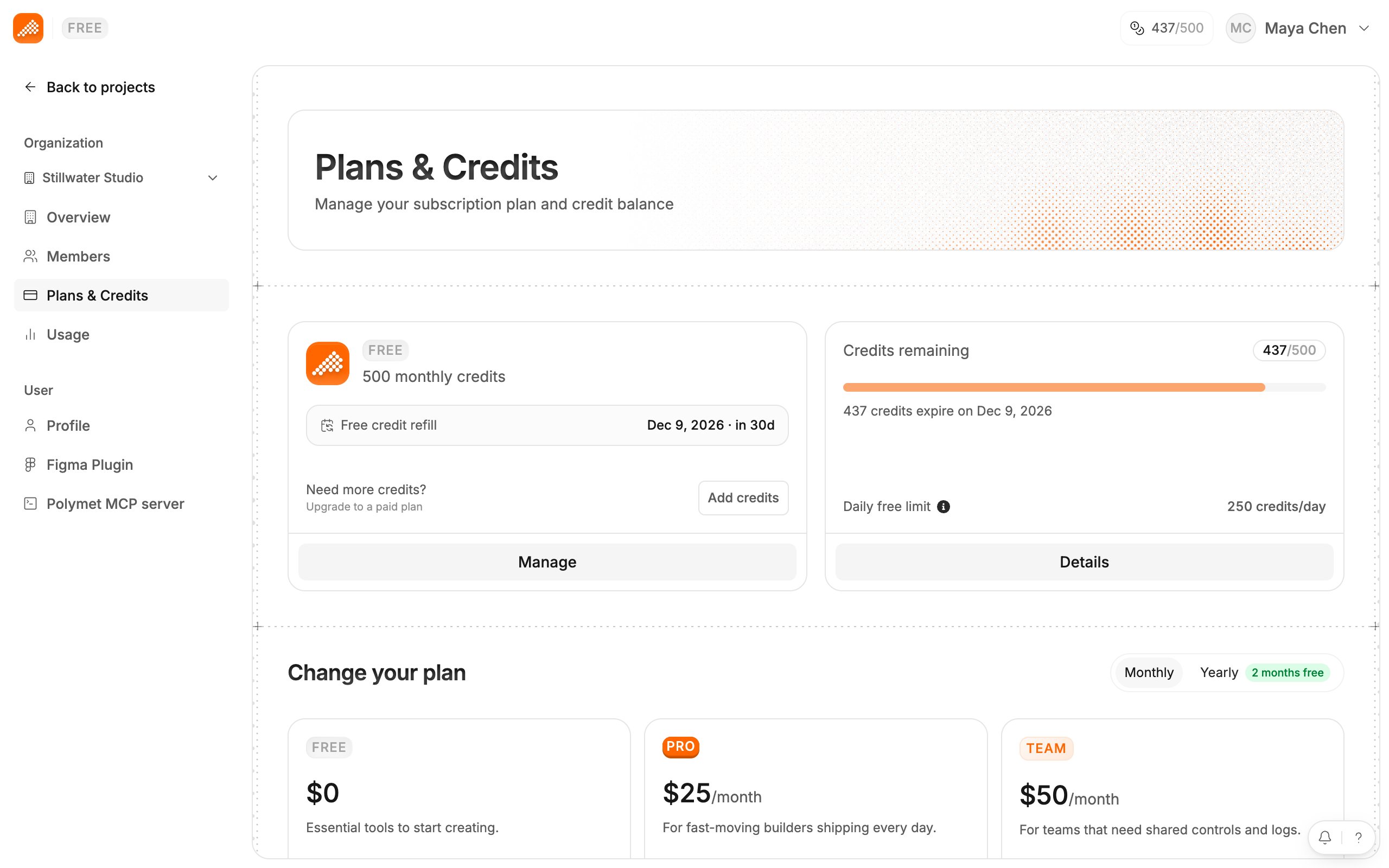
- Settings > Plans & Credits shows Credits remaining, the next expiry and, on the Free plan, the Daily free limit of 250 credits/day. Details opens the full breakdown.
- The top bar and the canvas show the same balance as a bar and a count, for example 437/500.
Related
- Buy more credits — credit packs for a one-time need
- Plans — how many credits each plan size includes
- See who used what — credits by member and project