
Settings > Usage
Go to Settings > Usage. The page lists everyone in the organization with:- Share of usage — their part of the organization’s total, as a bar
- Total usage — the credits they used
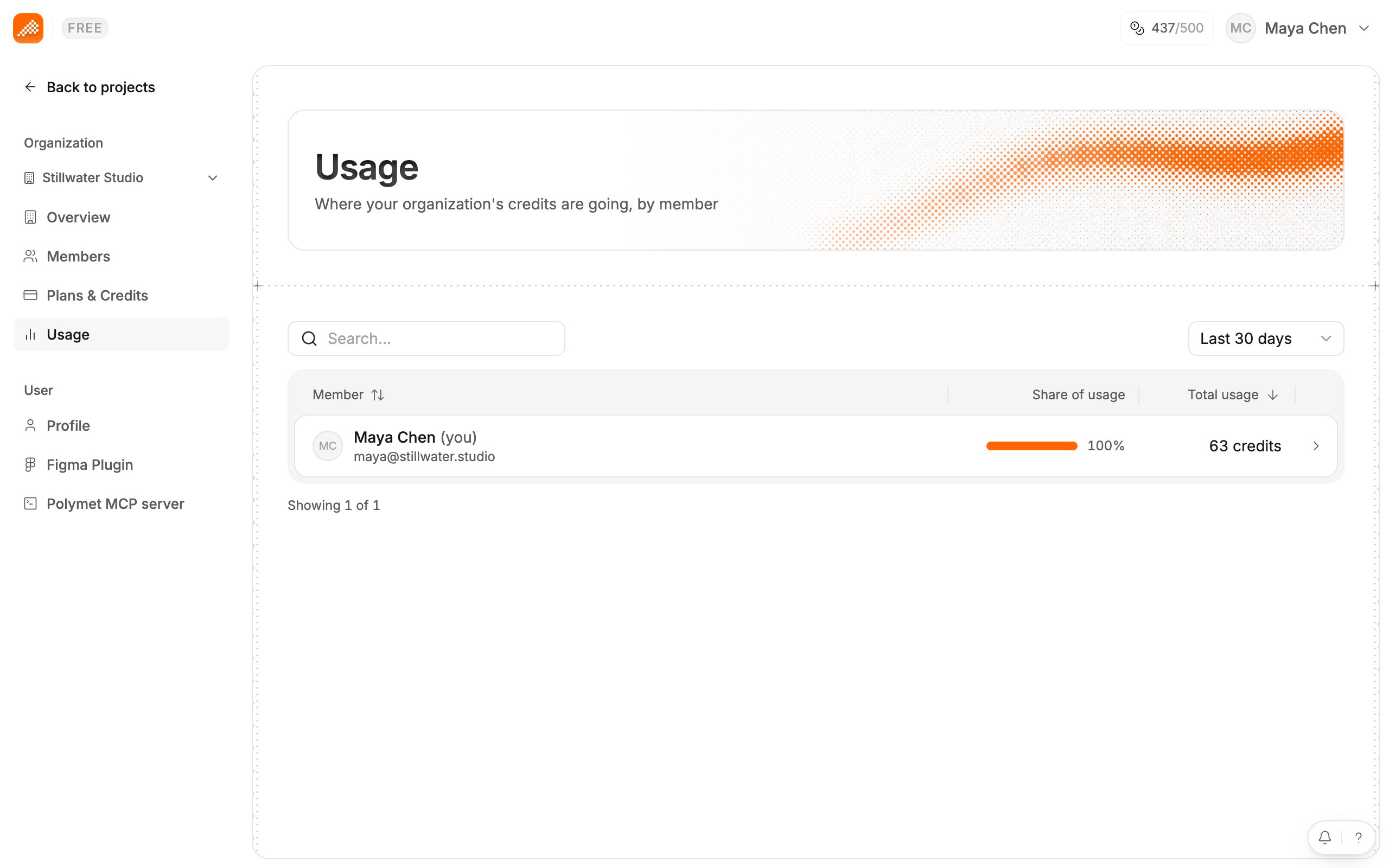
One member’s detail
Click a row to open that member’s usage:- the credits they used in the chosen period, with a chart by day
- Projects worked in, with a chart by day
- every project they used credits in, the credits for each, and when they last edited it
Who sees what
- Admins see every member’s figures and can open every row.
- Members see the full list of people, but figures only for themselves. Other rows show a lock with “Only admins can see other members’ usage” and do not open.
The Credit balance dialog
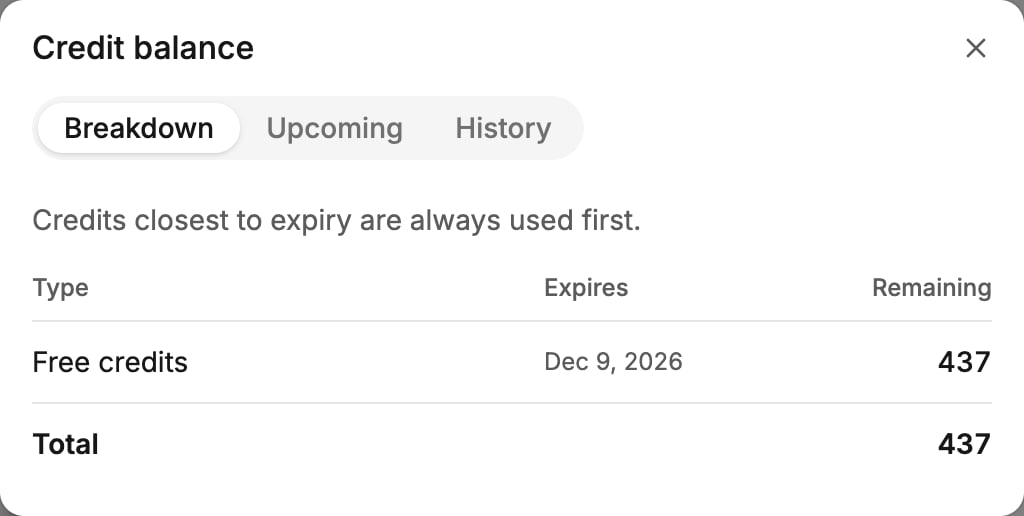
Go to Settings > Plans & Credits and click Details on the Credits remaining card. The Credit balance dialog has three tabs.- Breakdown — what you hold now, one row per batch: its Type (Free credits, Plan credits, Extra credits from credit packs, or Promotional credits), when it Expires, and what is Remaining. Plan credits past their month show a Rollover tag.
- Upcoming — on a yearly plan, the monthly batches still to arrive, with the date each Arrives, when it Expires, and a Scheduled total. On a monthly plan the tab is empty, because credits arrive as each month is paid.
- History — credits added, credits expired unused, and credits used, one row per day for each project and person, with the change in credits.
Related
- How credits work — spend order, rollover, yearly batches
- Invite your team — Admin and Member roles
- When you run low or run out — what happens at zero