
Find a version
There are two places to find versions.- In the thread. Each generation leaves a version card in the thread, showing when it was made. Latest marks the newest one. The open button on a card opens that version’s preview in a new tab.
- In version history. Click the clock at the right end of the thread tabs, labelled Version history. It lists every version of the branch you are on, oldest at the top and Latest at the bottom. Use the switch at the top to see a plain Timeline or a Graph that shows where branches were merged in.
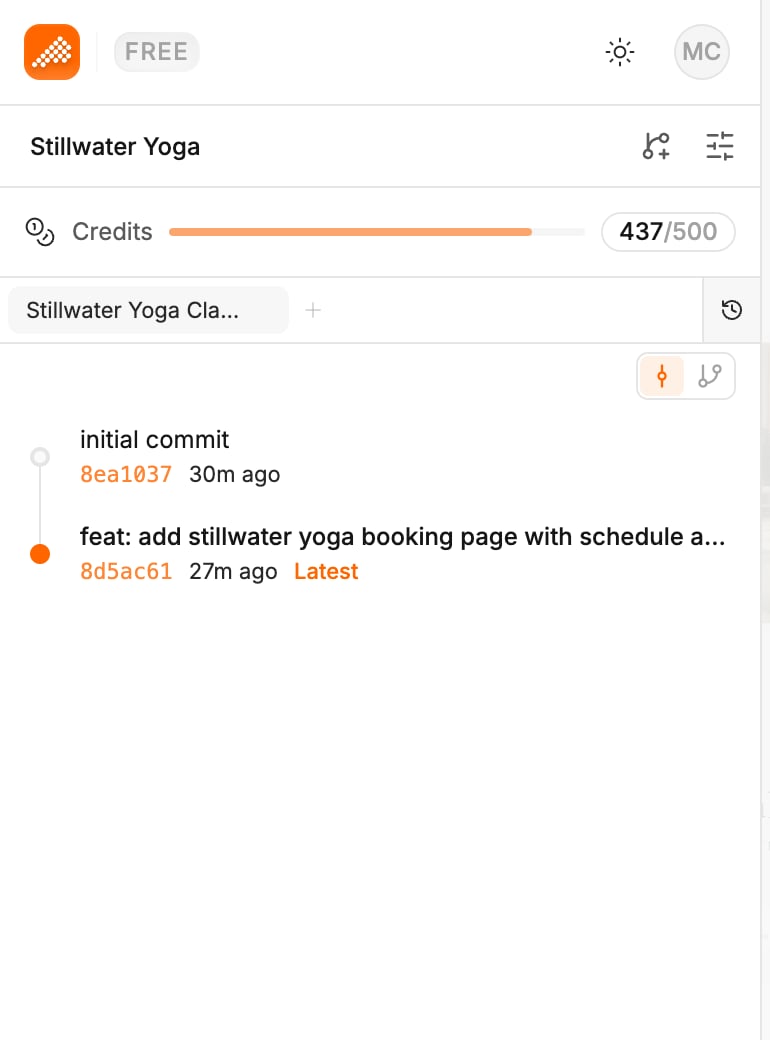
Look at an earlier version
Click View on a version card, or the view button on a row in version history. On a computer, a row’s buttons appear when you hover over it. The canvas shows the project as it was then. You can only send prompts on the latest version. When you go back to the thread, Polymet returns you to the latest version and tells you so. To keep working from an older version, roll back to it.Roll back
A rollback has three choices. Pick the one that matches what went wrong.
Each choice asks you to confirm in Confirm Rollback. Click Rollback to go ahead.
- Use code and thread to start over from a version, as if the later messages were never sent.
- Use thread only to clear a conversation that went off track while keeping the code you have.
- Use code only to undo the code but keep the conversation. The agent is told the code changed.
Good to know
- You cannot roll back while a generation is running. The button says “Please wait for the generation to finish”.
- A rollback changes only the branch you are on. On a project with branches, messages sent on other branches stay, and the confirmation says so.
- In a design system, you cannot roll back past a version that has been released. The button says “Cannot rollback - a newer version has been released”.
Related
- Branches — try a risky change on a copy instead
- Compare options side by side — look at two designs next to each other before you choose
- Publish a prototype — put your latest work on a live link