
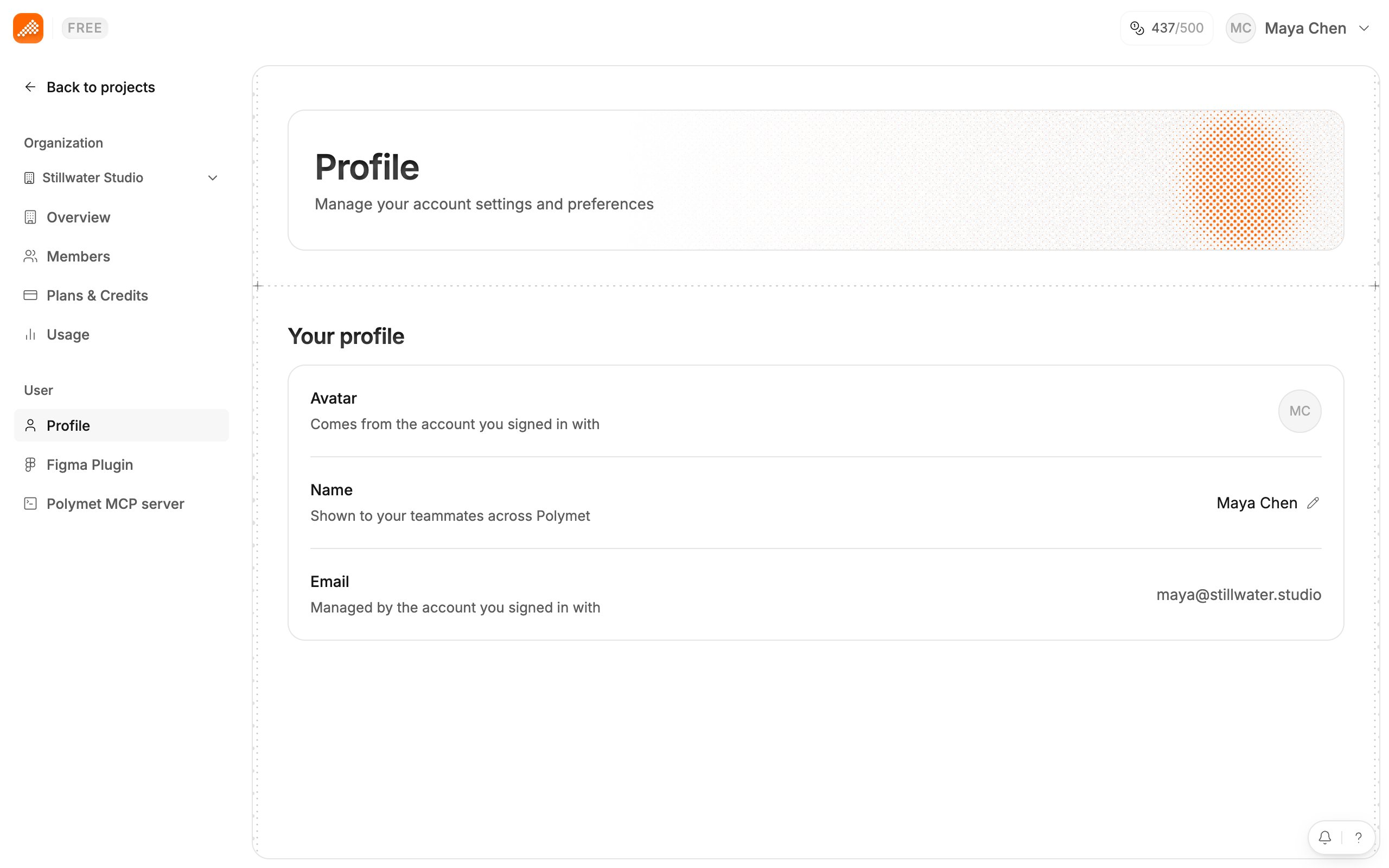
Change your name
- Click your avatar to open the profile menu, then click Settings.
- Under User, click Profile.
- Next to Name, click the pencil.
- In Change your name, fill in First name and, if you want, Last name. Click Save.
Avatar and email
Both come from the account you signed in with. The Profile page shows them but cannot change them.Light and dark mode
Open the profile menu and use Appearance near the bottom. Pick the sun for light mode or the moon for dark mode.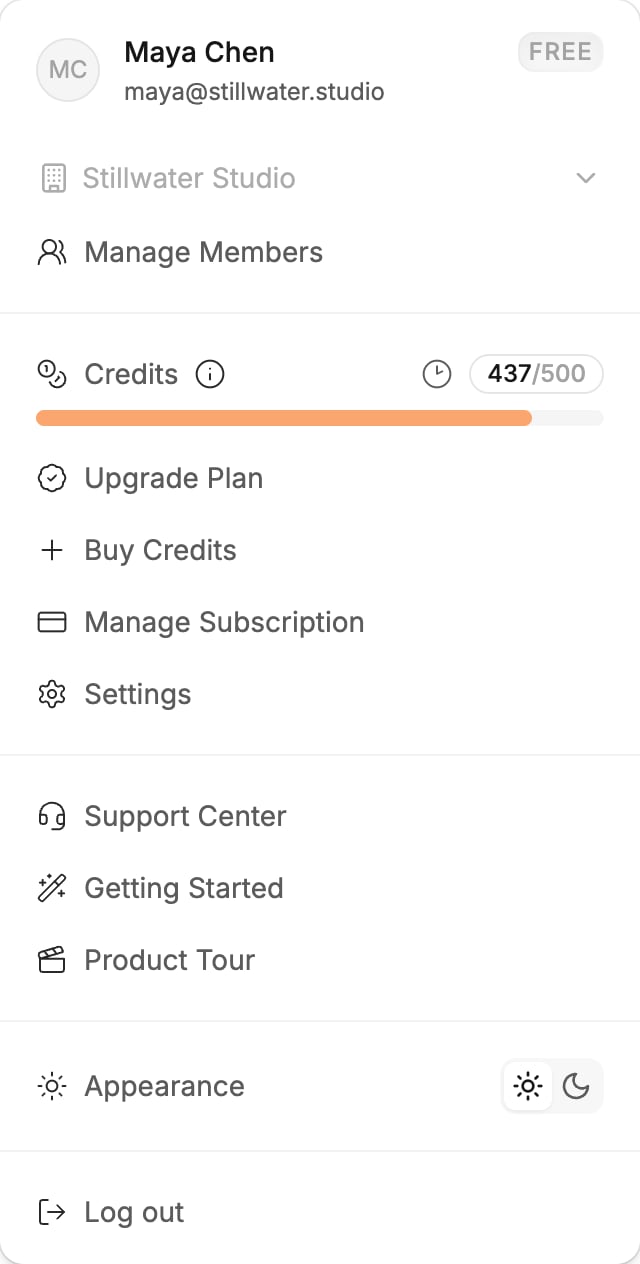
Log out
Open the profile menu and click Log out.Stop marketing emails
Click the unsubscribe link in a marketing email from Polymet and you will see “You’ve been unsubscribed”. If the link is invalid or has expired, the page says so. Email support@polymet.ai for help.Related
- Your organization — rename or switch organization
- Invite your team — the people who see your name